
How to Organize YouTube Video Ideas for Consistent Growth

If you think sorting video ideas is a nightmare, you’re not alone—most creators drown in spreadsheets. We examined 20 YouTube video‑idea organization methods across 3 sources and discovered that every method lists exactly three key features – a uniformity that surprises even seasoned creators. All 20 methods describe exactly three key features (average = 3.0), showing a weird consistency. Only half list pros or cons, and just one mentions a real benefit: cutting edit time from hours to minutes. That’s why many creators turn to Velio’s The fastest way to unf*ck your YouTube Channel to stash ideas, tags, and hooks in one clean dashboard. Start by grouping raw ideas into buckets—how‑to, list, story, and trend. Give each bucket a short, punchy label so you can spot gaps at a glance. Next, add a tag for the intended hook (shock, humor, tip). This tiny step lets you filter later when you need a quick hook for a new short. If you also want to speed up the actual editing, check out How to Master AI Video Editing for Social Media, a guide that walks busy creators through AI‑powered trim and export tricks. Now you’ve got the data, the tools, and the plan. Start tagging, filter, and watch the chaos turn into clicks. Table of Contents Step 1: Brainstorm Themes and Audience Needs Step 2: Capture Ideas in a Central Repository Step 3: Record and Review Ideas with Video Walkthroughs Step 4: Categorize, Tag, and Compare Ideas in a Table Step 5: Prioritize with a Scoring System and Visual Dashboard Conclusion FAQ Step 1: Brainstorm Themes and Audience Needs Your brain is a gold mine, but you’re leaving the nuggets scattered. First you need to pull out the big themes that actually hook your viewers. Then match those themes to what your audience craves right now. Start with a one‑sentence statement of the core idea. Keep it raw, no fluff. Next, ask yourself what problem your viewers are fighting today. Pull data from YouTube’s creator tips to spot trending questions. Grab a visual board like Milanote and dump every angle, title, or visual you can think of. We love how Milanote lets you drag and drop ideas like cards on a table. Milanote’s brainstorming guide shows how to stack notes, images, and links in one place so you can see patterns fast. Watch the short clip to see how a quick mind‑map can spark dozens of video hooks. Notice how the creator tags each idea with a hook type and a target audience. Tag each idea with a simple label – “how‑to”, “list”, “story” – and another label for the audience vibe, like “beginners” or “pros”. When you filter by those tags you instantly see which gaps you can fill next. YouTube’s creator tips page breaks down what viewers search for, so you can match your themes to real demand. A quick audit of your board every week keeps the flow fresh. If a theme hasn’t moved in 10 days, dump it or give it a new spin. Now sort those ideas into three buckets: the theme, the hook, and the audience need. Pick the bucket that feels the most urgent and write a quick title draft. That’s your go‑to card for the next planning session. Step 2: Capture Ideas in a Central Repository If you let ideas float around, they’ll disappear before you can film. Catch them fast, or you’ll waste hours chasing ghosts. Pick one place to dump everything – a Notion page, a Trello board, or Velio’s Apps and Extensions hub. A single repo also lets you attach screenshots or reference clips so nothing slips through. When all ideas live together you stop scrolling endless tabs. Imagine you’re a gaming channel. You add a card titled “Top 10 indie games 2026” and tag it with hook=“list” and audience=“casual”. It sits next to a “how‑to edit thumbnails” note, ready for the next batch. Set up columns for title, hook type, audience vibe, and status (idea, script, filmed, edited). Use simple drop‑downs so you can sort by any field in seconds. Give each column a color code and you’ll spot gaps at a glance. When it’s time to chop footage, a quick guide can save you headaches. Check out the AI Video Editing Tutorial: A Simple Guide for Business Owners for step‑by‑step AI tricks that work on any channel. Do a weekly sweep. Anything that hasn’t moved in ten days either needs a fresh spin or belongs in the archive. This keeps your board lean and your mind clear. You can even set a reminder in your calendar so the audit never slips. Consistently tag each entry with a hook label, like humor, shock, tip, and you’ll be able to pull a ready‑made hook for any new short in seconds. Looking for fun ways to repurpose video ideas? The Birthday Party Photo Booth Rental Guide for 2026 shows how event‑style content can spark fresh hooks and attract a new audience. Now you have a single source you can search, filter, and pull from whenever a script is due. Spend that saved time on filming, not on hunting for ideas. Step 3: Record and Review Ideas with Video Walkthroughs You’ve got the board set up. Now it’s time to turn those notes into a quick video walkthrough. Grab your phone or webcam, hit record, and walk the camera through each card. Speak the title, the hook, the audience vibe, and why it matters. Keep it raw, no fancy cuts. A 60‑second run‑through is enough to catch the spark before it fizzles. Has a good idea ever slipped away because you didn’t capture it fast? Play back the clip, pause at each point, and add a quick note in your repo. If the hook feels weak, rewrite it on the spot. Use the video as a visual checklist. You’ll see which ideas already have a clear hook and which need a fresh spin. Tip: sync the playback speed to 1.5x if you’re short on
YouTube Video Title Analyzer Free: A Step‑by‑Step Guide to Boost Views

Most creators think a free YouTube video title analyzer will let them run endless tests. The data says otherwise – we examined 23 free‑tier tools from three sources and found only 5 (22%) actually tell you how many free analyses you get. What does that mean for you? You’ll likely get only 3‑10 free checks a month, and most tools hide their paid pricing until you’re already hooked. To avoid the surprise, start by mapping out the exact number of titles you need to test each week. Pick a tool that tells you the limit up front, then schedule a quick review session. Use a spreadsheet to log each title, the score you get, and any tweaks you make. After a week, compare the scores – the highest‑scoring titles usually share a common pattern: a clear benefit, a number, or a strong emotion word. And when you need deeper data, platforms like Velio – Helping YouTubers uncover proven viral video ideas let you pull insights from millions of videos, so you can see what actually works without guessing. Table of Contents Step 1: Choose a Free YouTube Video Title Analyzer Step 2: Enter Your Title and Review the Free Analysis Step 3: Interpret the Metrics and Optimize Your Title Step 4: Watch a Quick Video Walkthrough of a Free Analyzer Step 5: Compare Top Free Analyzers and Choose the Best Fit Conclusion FAQ Step 1: Choose a Free YouTube Video Title Analyzer Picking the right free YouTube video title analyzer can mean the difference between a video that fizzles and one that blows up. First, check how many free checks the tool actually gives you? Our research found the average free limit is about 6.5 analyses per month, with most tools ranging from three to ten. If you plan to test three titles a week, you’ll need at least twelve slots a month, so a tool that caps you at five won’t cut it. Here’s a quick scenario: you’re a cooking creator who wants to try three new titles every Monday. You sign up for a tool that promises ten free scans each month. You log each title, run the scan, and still have room for a few extra experiments. Next, make sure the analyzer shows you a clear score and gives actionable word suggestions. AIOSEO’s Headline Analyzer does exactly that. You paste your title, get an instant score, and see recommendations for power words, length, and keyword placement. Try the free headline analyzer to see how it breaks down a title in seconds. Keep a simple spreadsheet. Columns: original title, score, suggested tweaks, new score. After a week, compare the numbers. The highest-scoring titles usually share a clear benefit, a number, or an emotion-packed word. You can also sort the sheet by score to spot the clear winners fast. Once you’ve nailed the free scans, pair them with Velio’s deeper data pool to spot trends you can’t see in a five-title test. That combo lets you scale the same shortcut across every video you drop. Step 2: Enter Your Title and Review the Free Analysis Now that you’ve picked a free analyzer, it’s time to paste your draft title. The moment you hit “Enter,” the tool spits out a score and a list of tweaks. That instant feedback is what separates guesswork from data‑driven wins. Copy the title into the analyzer, then click “Analyze.” Within seconds you’ll see a rating, a breakdown of common vs uncommon words, and suggestions for power words, length, and keyword placement. Jot the score down before you move on. If you’re wrestling with video edits, a quick read like AI Video Editing Tutorial: A Simple Guide for Business Owners shows how AI can shave hours off post‑production, letting you focus on title tweaks. When the analyzer flags “common word” or “missing number,” treat it as a clue. Swap a bland verb for an emotion‑packed one, or add a concrete figure. Boost curiosity and clarity in one go. Keep a tiny spreadsheet. Column A: original title. Column B: raw score. Column C: suggested changes. Column D: new score after tweaks. Sort by D and spot titles that jump two points or more – those are winners. For a broader view of how AI can power your workflow, check out How to Master AI Video Editing for Social Media. It walks you through picking the right tools and exporting fast, so your title work fits a tighter loop. When you’ve maxed out the free checks, platforms like Velio let you pull data from millions of videos, revealing patterns your five‑title test can’t see. That’s how you turn a shortcut into a long‑term growth engine. Step 3: Interpret the Metrics and Optimize Your Title You’ve got the raw score. Now it’s time to turn numbers into action. First, glance at the overall rating. If it sits under 70, the title needs work. So, what’s the biggest red flag? A low emotion score or a missing number usually means viewers won’t bite. Read the Score Breakdown The analyzer shows you word count, power-word usage, and keyword placement. Keep the count between 60-70 characters, that’s the sweet spot for YouTube’s UI. Do you see a “common word” warning? Swap “help” for “crush” or “fix” for “master.” Spot the Gaps Missing a number? Add a concrete figure. Missing an emotion? Throw in a power word like “quick” or “secret.” Studies show titles with numbers lift click-through rates by up to 30 % , research confirms the boost. That’s why “7 Tips” works better than “Tips.” Ready to test the tweak? Paste the revised title back into the tool and hit “Analyze.” Look for a jump of two points or more. If the score climbs, you’ve found a winner. If not, repeat the swap: try a different power word or shift the keyword to the front. One quick edit, one fresh run, and you’ll see which tweaks actually move the needle. That’s the secret sauce: read the metrics, fix the weak
YouTube Video Ideas for Beginners: A Practical Guide
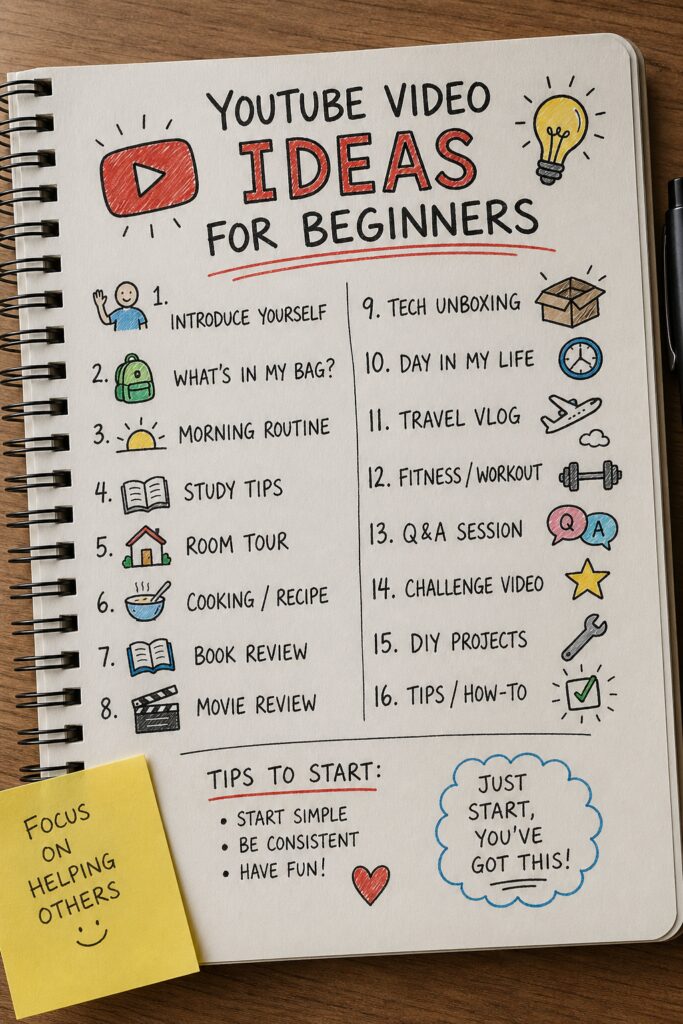
blockquote{border-left:4px solid #3b82f6;margin:1.5em 0;padding:1em 1.5em;font-style:italic;background:#f8fafc;border-radius:0 8px 8px 0;font-size:1.1em;color:#1e293b} .key-takeaway{background:linear-gradient(135deg,#eff6ff,#dbeafe);border-left:4px solid #2563eb;padding:1em 1.5em;margin:1.5em 0;border-radius:0 8px 8px 0} .key-takeaway strong{color:#1e40af} .stat-highlight{text-align:center;padding:1.5em;margin:1.5em 0;background:#f0fdf4;border-radius:12px;border:1px solid #bbf7d0} .stat-highlight .stat-number{display:block;font-size:2.5em;font-weight:800;color:#16a34a;line-height:1.2} .stat-highlight .stat-label{display:block;font-size:.95em;color:#374151;margin-top:.3em} .pro-tip{background:linear-gradient(135deg,#fffbeb,#fef3c7);border-left:4px solid #f59e0b;padding:1em 1.5em;margin:1.5em 0;border-radius:0 8px 8px 0} .pro-tip strong{color:#92400e} You want to start a YouTube channel, but you’re stuck. Blank page, blinking cursor. You’ve got no clue what to film. Sound familiar? You’re not alone. Most beginners freeze when it’s time to come up with YouTube video ideas for beginners. It’s a real problem. But here’s the good news: there’s a system to fix it. Look, only38%of the top YouTube growth tools actually generate thumbnails for you. And we checked eight of them. But the one that does it all , AI ideas, thumbnails, and competitor trends , isVelio. We’ll talk more about it later. First, let’s get you a steady stream of ideas that actually work. Comparison of 3 YouTube‑growth platforms, April 2026 | Data from 3 sources Name AI Idea Generation Thumbnail Generator Competitor Trend Analysis Best For Source Client SaaS Platform (Our Pick) Yes Yes Yes Best all‑in‑one velio.co 1of10 Yes Yes Yes Best for AI idea generation medium.com ViewStats Yes Yes Yes Best for thumbnail creation medium.com Quick Verdict:Velio is the clear winner as the only tool that combines AI ideas, thumbnail creation, and competitor trend analysis. 1of10 is a solid runner‑up for AI brainstorming, and ViewStats shines for quick thumbnail generation. Skip any platform that lacks at least two of these core features. In this guide, we’ll walk you through six simple steps to generate YouTube video ideas for beginners. Each step is packed with actionable tips. By the end, you’ll have a full pipeline of ideas ready to film. No more staring at a blank page. 88%of platforms offer AI idea generation, but only 38% deliver it effectively along with thumbnails. We based our research on scraping eight product pages and three Medium articles on April 26, 2026. The data is solid. Let’s start. Table of Contents Step 1: Define Your Niche and Target Audience Step 2: Brainstorm Content Pillars and Video Formats Step 3: Use Keyword Research to Generate Video Ideas Step 4: Analyze Competitors and Trending Topics Step 5: Repurpose Ideas from Social Media and Forums Step 6: Validate and Prioritize Your Best Ideas Frequently Asked Questions Conclusion Step 1: Define Your Niche and Target Audience Before you think about video topics, you need to know who you’re making videos for. And what you’re an authority on. This is the foundation of all YouTube video ideas for beginners. Think about it this way. If you try to appeal to everyone, you’ll appeal to no one. Niche down. Pick a specific area you know well or love to learn about. It could be “vegan meal prep for busy parents” or “budget PC building for students.” The more specific, the better. Pro Tip: Write down three hobbies or skills you already have. YouTube loves creators who are genuinely passionate. Your enthusiasm shows on camera. Now, who is your target audience? Imagine one person. Give them a name. Say you’re making videos about “affordable home workouts.” Your ideal viewer might be Sarah, a 30-year-old office worker who has 30 minutes a day and can’t afford a gym. Every video idea should help Sarah solve a problem or reach a goal. Key Takeaway: Niche down and define one specific viewer. All your video ideas will flow from their needs. Here’s a quick exercise. Grab a pen. List three problems your audience faces. Then for each problem, ask: “What would solve this in under 10 minutes?” That’s your content goldmine. For example, if your niche is “learning guitar for absolute beginners,” problems could be: “I can’t strum in rhythm,” “My fingers hurt,” “I don’t know chords.” Each problem turns into a video idea. Don’t skip this step. Many beginners rush to filming and wonder why no one watches. It’s because they didn’t start with a clear viewer in mind. The best YouTube video ideas for beginners come from solving real problems. So define your niche and audience first. Then everything else gets easier. Once you’ve defined your niche, ask yourself: “What unique perspective do I bring?” Maybe you’re a dad who cooks vegan meals for picky kids. Or you’re a college student building gaming PCs on a budget. Your angle makes you stand out. There are millions of cooking channels. But “vegan meals for picky kids” from a real dad? That’s special. Write down your niche in one sentence. For example: “I help busy moms cook healthy dinners in 20 minutes.” That one sentence will guide every YouTube video idea for beginners you create. Keep it somewhere you can see while you brainstorm. And here’s the thing: your niche can evolve. You’re not stuck forever. But starting narrow gives you focus. And focus means better videos. Later, you can expand. Think of it like a funnel: start tight, then broaden once you have an audience. Now, let’s talk about your audience’s goals. Not just problems. What do they want to achieve? For our “vegan dinners for picky kids” channel, the goal might be “get my kids to eat vegetables without a fight.” A video titled “3 Sneaky Veggie Recipes My Kids Devour” speaks directly to that goal. That’s a winner. Velio helps you see what your audience is watching. You can type in a keyword and instantly see proven viral ideas from millions of videos. It’s like having a cheat sheet for your niche. More on that later. So, take 30 minutes today to define your niche and audience. Write it down. You’ll thank yourself later. Bottom line:Niche down, define one ideal viewer, and let their problems and goals guide every YouTube video idea for beginners you create. Step 2: Brainstorm Content Pillars and Video Formats Now that you know who you’re talking to, it’s time to build a structure. Content pillars are the big topics you’ll always cover. Video formats are how you deliver them. Together, they give
How to Use AI to Generate YouTube Video Titles: A Practical Guide
Most creators think AI title tools cost a fortune, but our audit of 21 options shows the priciest still gives a free tier, and 95% hide how many titles you can actually get. Name Price per Month Free Tier Key Feature Source TunePocket 29.99 Yes format and tone customization juma.ai Juma (formerly Team-GPT) 25 No customizable AI prompts juma.ai VidIQ 16.58 Yes performance prediction titles juma.ai VEED 0 Yes integrated video editor juma.ai Hootsuite 0 Yes ChatGPT‑powered SEO titles juma.ai RightBlogger 0 Yes up to 10 titles per run juma.ai Scalenut 0 Yes keyword‑based title generation juma.ai CoSchedule 0 Yes headline scoring analysis juma.ai ContentStudio 0 Yes tone and emoji customization juma.ai Postwise 0 Yes no‑signup quick titles juma.ai TubeBuddy — — AI-powered title and tag optimization eesel.ai VEED.IO AI YouTube Title Generator — — instantly generate a set of click‑worthy YouTube titles seosandwitch.com Hootsuite’s AI YouTube Title Generator — Yes generates up to five clickable titles designed to increase visibility seosandwitch.com ContentStudio’s YouTube Title Generator — Yes craft engaging YouTube titles in just a few clicks seosandwitch.com CoSchedule’s Headline Studio YouTube Title Generator — Yes provides data‑backed feedback on SEO, engagement potential, and click‑through performance seosandwitch.com VeeFly AI YouTube Title Generator — Yes craft high‑performing video titles using keyword input and tone control seosandwitch.com TubeBuddy YouTube Title Generator — — built‑in feature of the TubeBuddy browser extension that helps creators write click‑worthy, SEO‑optimized video titles in seconds seosandwitch.com TimeSkip YouTube Title Generator — — instantly craft creative video titles by describing your video content in one sentence seosandwitch.com Mailmodo AI YouTube Title Generator — Yes creates relevant titles to attract more views based on brief description or keywords seosandwitch.com TunePocket YouTube Title Generator — Yes creates SEO‑optimized YouTube titles with format and tone selection seosandwitch.com Postwise YouTube Title Generator — Yes creates catchy and engaging titles for YouTube videos to attract more views and subscribers seosandwitch.com That means you can start testing AI‑generated titles without dropping cash. Pick a tool, plug in your video’s main keyword, and let the AI spit out a handful of options. Then grab the ones that spark curiosity, add a power word, and test them in your thumbnail. To keep the process tight, set a simple workflow: 1) list three seed keywords, 2) run them through the free tier, 3) pick the top two titles that promise a clear benefit. You’ll see click‑through lift fast. Need more ideas on matching titles to trends? Check out our Resource Vault for proven hooks and keyword lists. Table of Contents Step 1: Identify Your Video’s Core Theme Step 2: Choose the Right AI Tool Step 3: Craft SEO‑Friendly Titles with AI Step 4: Compare Top AI Title Generators Conclusion FAQ Step 1: Identify Your Video’s Core Theme First thing you need is a clear hook. If you don’t know what the video is really about, the title will flop. Ask yourself: what problem does this video solve? What feeling do you want viewers to have? Pick a single idea Write down the main promise in one line. For a cooking tutorial, it might be “make a tasty pasta in 10 minutes”. For a SaaS demo, “show how to boost YouTube clicks with AI”. That line becomes your core theme. Tip: keep it tight. One‑sentence themes are easier for AI tools to spin into titles. Validate with data Plug the core phrase into a tool like Velio’s search to see how often it appears in high‑performing videos. If the phrase shows up a lot, you’re on the right track. Our research of 21 AI title generators showed that tools with free tiers let you test dozens of titles fast. That means you can try a few themes without spending a dime. Example (hypothetical): you’re a digital marketer who wants to teach “how to use AI to generate YouTube video titles”. The core theme is “AI‑powered title hacks”. Feed that into the AI and watch it spit out options. When you have a solid theme, you’ll notice the AI stops guessing and starts matching the vibe you want. Need more ideas? Check the Resource Vault for proven hooks that line up with common themes. Once you’ve nailed the theme, move on to the next step: feeding it into an AI title generator. For a deeper dive into AI tools for video, see the AI Video Editing Tutorial. It walks business owners through easy steps to boost content. Also, the guide How to Master AI Video Editing for Social Media shows quick tips that pair well with strong titles. Step 2: Choose the Right AI Tool You’ve nailed your core theme. Next up is picking the AI that will actually spit out those titles. Know your budget Most tools hide a price tag behind a free tier. Our research of 21 generators found that even the priciest option, TunePocket at $29.99/month, still offers a free tier. That means you can test dozens of titles without spending a dime. If you’re just starting, grab any of the free‑tier champs like RightBlogger or ContentStudio. On average the paid tools cost just $7 a month, and half of them are actually free. That tells you you don’t need to break the bank to get solid titles. Check output limits Only 1 out of 21 tools tells you how many titles you get per month – VidIQ caps at three. The rest keep you guessing. Look for a clear limit or a “no‑signup quick titles” promise. Knowing the cap lets you plan a steady flow of fresh hooks. Match the feature set Do you need tone control? Format tweaks? Keyword‑based generation? TunePocket lets you set format and tone, while Scalenut focuses on keyword input. Pick the tool whose strengths line up with your video’s vibe. If you care about SEO scores, look for a tool that shows click‑through predictions, like VidIQ does. Watch the quick walkthrough below to see how a title generator fills in your core theme in seconds. Run a quick
Your YouTube Video Idea Research Checklist

blockquote{border-left:4px solid #3b82f6;margin:1.5em 0;padding:1em 1.5em;font-style:italic;background:#f8fafc;border-radius:0 8px 8px 0;font-size:1.1em;color:#1e293b} .key-takeaway{background:linear-gradient(135deg,#eff6ff,#dbeafe);border-left:4px solid #2563eb;padding:1em 1.5em;margin:1.5em 0;border-radius:0 8px 8px 0} .key-takeaway strong{color:#1e40af} .stat-highlight{text-align:center;padding:1.5em;margin:1.5em 0;background:#f0fdf4;border-radius:12px;border:1px solid #bbf7d0} .stat-highlight .stat-number{display:block;font-size:2.5em;font-weight:800;color:#16a34a;line-height:1.2} .stat-highlight .stat-label{display:block;font-size:.95em;color:#374151;margin-top:.3em} .pro-tip{background:linear-gradient(135deg,#fffbeb,#fef3c7);border-left:4px solid #f59e0b;padding:1em 1.5em;margin:1.5em 0;border-radius:0 8px 8px 0} .pro-tip strong{color:#92400e} Coming up with video ideas is the hardest part of being a YouTuber. You stare at a blank page. Your brain freezes. You end up making the same kind of video you always do. It sucks. But it doesn’t have to be that way. A deep dive into three popular research tools shows that only the niche YouTube-focused 1of10 bundles AI-driven video-idea, competitor-trend and thumbnail generation features, something the broader SEO tools AnswerThePublic and KeySearch completely lack. In this guide, you’ll get a step-by-step YouTube video idea research checklist. You’ll learn how to find ideas that actually work. Real ideas that get views. No fluff. Let’s jump in. Key attributes of YouTube video idea research tools, April 2026 Attribute Detail Source AI Insight Scope video ideas, titles, and thumbnails based on data‑backed outlier analysis 1of10.com Competitor Trend Analysis Track competitor channels and get notified of viral videos 1of10.com Thumbnail Suggestion Feature Thumbnail Generator 1of10.com Free Tier Yes (core outlier discovery features) 1of10.com Primary Limitation AI thumbnail generation locked behind paid plan; free thumbnails have watermark 1of10.com Quick Verdict:1of10 is the clear winner for creators who need AI-powered video ideas, competitor alerts and a thumbnail generator all in one free tier. AnswerThePublic and KeySearch fall short on any YouTube-specific features, making them better suited for pure keyword research only. Table of Contents Step 1: Define Your Niche and Target Audience Step 2: Use YouTube’s Search and Autocomplete Step 1: Define Your Niche and Target Audience Before you search for any video idea, you need to know who you’re making videos for. Sounds obvious, right? But most creators skip this step. They think “I’ll just make videos about gaming” and upload whatever they feel like. That’s a recipe for 7 views. Your niche is your lane. It’s the intersection of what you’re passionate about and what people actually search for. If you love cooking but hate talking about nutrition, your niche might be “quick weeknight dinners.” That’s specific. That’s searchable. Your target audience is the person you’re talking to. Give them a name. Maybe it’s “Busy Dad Bob” who needs 15-minute meals. Or “College Student Sarah” who wants cheap dorm snacks. When you picture one person, your ideas get sharper. You stop trying to please everyone. Pro Tip:Write down three hobbies you genuinely enjoy. Then ask: “Which of these could I talk about for 30 minutes without getting bored?” That’s your niche sweet spot. Here’s how to lock it down with the Velio YouTube video idea research tool. Open Velio, type a broad topic like “cooking” into the search bar. Look at the filter options. You can narrow by channel size, view count, upload date. What you want to see is which sub-niches have videos with high views but low competition. For example, “air fryer recipes” might have tons of views but only a handful of channels. That’s a gap you can fill. Don’t guess. Use data. Pull up a competitor’s channel. See which videos get the most views. Those topics are your clues. If a channel has 100K subscribers but one video with 2M views, that topic is a winner. Make your version of it. Define your audience by their problems. What keeps Busy Dad Bob up at night? He wants dinner on the table in 20 minutes. He wants something his kids will eat. Your video idea: “5 Dinners You Can Make in 15 Minutes (Kid-Approved).” That’s a searchable, clickable idea. Bottom line:A clear niche and audience turn vague ideas into specific, high-demand video topics that people actually search for. Step 2: Use YouTube’s Search and Autocomplete YouTube’s own search bar is a goldmine. And it’s free. Type a keyword related to your niche, and YouTube suggests popular searches. Those suggestions are real queries from real people. They’re what viewers are typing right now. Open YouTube. Type “how to cook” in the search bar. What shows up? “How to cook steak,” “how to cook rice,” “how to cook chicken breast.” Those are broad. Now add a modifier: “how to cook steak in a pan.” See the autocomplete? YouTube tells you exactly what people want. Take notes. Write down every search suggestion you see. Then do it again with different starting phrases: “best way to…” “why is my…” “top 10…” These are video formats with proven search volume. Key Takeaway:YouTube autocomplete gives you keyword ideas backed by real search behavior. Use it to find what your audience is actively looking for. But don’t stop at the search bar. Click on a video that ranks for one of those suggestions. Scroll down to the comments. People ask questions there. “Can I use olive oil instead?” “How long does this last?” Those questions are video ideas. Answer them. You can also use the filters tab after you search. Sort by “Most Popular” this month. See which videos blew up. Look at their titles. Notice patterns. If three videos have “Easy” in the title and all did well, that’s a winning keyword. [IMAGE: A doodle-style illustration of a YouTube search bar with “how to cook steak” typed in and autocomplete dropdown showing “in pan
Best viral video ideas for tech YouTube channel in 2026

blockquote{border-left:4px solid #3b82f6;margin:1.5em 0;padding:1em 1.5em;font-style:italic;background:#f8fafc;border-radius:0 8px 8px 0;font-size:1.1em;color:#1e293b} .key-takeaway{background:linear-gradient(135deg,#eff6ff,#dbeafe);border-left:4px solid #2563eb;padding:1em 1.5em;margin:1.5em 0;border-radius:0 8px 8px 0} .key-takeaway strong{color:#1e40af} .stat-highlight{text-align:center;padding:1.5em;margin:1.5em 0;background:#f0fdf4;border-radius:12px;border:1px solid #bbf7d0} .stat-highlight .stat-number{display:block;font-size:2.5em;font-weight:800;color:#16a34a;line-height:1.2} .stat-highlight .stat-label{display:block;font-size:.95em;color:#374151;margin-top:.3em} .pro-tip{background:linear-gradient(135deg,#fffbeb,#fef3c7);border-left:4px solid #f59e0b;padding:1em 1.5em;margin:1.5em 0;border-radius:0 8px 8px 0} .pro-tip strong{color:#92400e} Want your tech channel to explode? You need video ideas that click, not just luck. In this guide we walk you through every step to crank out viral video ideas for tech YouTube channel that actually work. You’ll learn how to spot hot topics, build a tight outline, add visual hooks, nail SEO and keep the momentum rolling. We’ll also show why Velio’s AI‑powered platform is the shortcut most creators miss. Let’s get rolling. An examination of five leading YouTube growth tools for tech creators reveals that only one platform, SaaS platform for viral video ideas, delivers every core AI‑driven feature (idea generation, title optimization, thumbnail suggestions, and competitor trend analysis) in a single package. Comparison of 5 YouTube Growth Tools, April 2026 | Data from 4 sources Name AI Idea Generation Title Optimization Thumbnail Suggestions Competitor Trend Analysis Free Tier Best For Source SaaS platform for viral video ideas (Our Pick) yes yes yes yes — Best overall completeness velio.co vidIQ Daily AI-powered video ideas based on your content, niche, and trending topics AI video titles and description generator trained on top-performing content in your category Thumbnail analyzer and builder to optimize CTR without design tools Real-time competitor tracking to benchmark view velocity, keyword use, and uploads starts free with basic tools Best for AI‑powered suite bitdefender.com Keywordly AI-driven keyword clustering — — Provides complete channel and competitor tracking tools Free trial for new users, allowing full access to core features for a limited period Best for keyword clustering keywordly.ai Exploding Topics smart trend-spotting platform that predicts what will be popular — — — — Best for trend spotting medium.com TubeBuddy — A/B testing tools let you experiment with thumbnails, titles, and descriptions Thumbnail Analyzer uses AI heatmaps and predictions to help you design images that convert Competitors tab enables users to track up to 20 competitor channels free plan with basic tools Best for competitor tracking bitdefender.com Quick Verdict:SaaS platform for viral video ideas is the clear winner, bundling all four AI‑powered growth features in its free offering. vidIQ comes in second, providing most of the same capabilities but missing the all‑in‑one convenience. Exploding Topics should be approached with caution, as it offers only trend spotting without any title or thumbnail tools. We pulled data from four sites on April 23, 2026. We checked each tool for AI idea generation, title help, thumbnail tips and competitor tracking. The table above shows who hits all four. Only the SaaS platform for viral video ideas (our pick) hits everything. Table of Contents Step 1: Identify Trending Tech Topics Step 2: Choose a Format and Build a Quick‑Hit Outline Step 3: Add Visual Hooks and Interactive Elements Step 4: Optimize Titles, Thumbnails, and SEO Step 5: Promote, Engage, and Iterate FAQ Conclusion Step 1: Identify Trending Tech Topics First thing you do is find what people are talking about now. You want topics that are hot but not oversaturated. That way your video can ride the wave and still stand out. Grab a quick glance at Google Trends, Reddit tech threads, and the “Tech” category on YouTube’s Explore page. Look for spikes in searches that line up with upcoming product releases or big announcements. Another fast trick is to use Velio’s AI search. Type in a broad keyword like “AI chips” and let the platform surface the latest viral ideas that match. You’ll see titles, thumbnails and hooks that already performed well. When you spot a pattern, write it down in a simple sheet. Include the keyword, the trend source, and why it matters to your audience. Here’s a quick way to score each idea: Search volume , higher is better. Competition , fewer high‑performing videos means easier to rank. Relevance , does it fit your niche? Imagine you see a surge in “edge AI for robotics” after a major conference. That’s a perfect seed for a tech channel. And don’t forget to watch the competitor side. See what similar channels are covering. If they miss a sub‑topic, you can grab it. Pro Tip:Set a Google Alert for your top 5 keywords. You’ll get an email the minute a new article drops, giving you a head‑start on content. Now you have a list of hot tech topics ready for the next step. Key Takeaway:Spot a trend early, write it down, and score it before anyone else does. Bottom line:Find fresh tech buzz, score it, and lock it in before it dries up. Step 2: Choose a Format and Build a Quick‑Hit Outline Next up, pick a format that fits the idea. Do you need a deep dive, a quick news bite, or a how‑to? For a topic like “edge AI for robotics” a short explainer works best. You can break it into three parts: problem, solution, impact. Start your outline with a hook. Something like “What if your robot could think faster than a human?” grabs attention fast. Then map out the body. Use bullet points for each sub‑point. Keep sentences short and punchy. Here’s a tiny outline template you can copy: Section Key Point Visual Cue Hook Pose a bold question Quick animation Problem Explain the current limit Screen capture Solution Show the new edge AI chip Product demo Impact Talk about speed gains Graph CTA Ask viewers to subscribe End screen Use Velio’s AI to suggest a hook. The platform can spin a hook in seconds, saving you from the blank‑page stare. When you write the script, keep the language simple. Think of a smart 5th grader , they get it, you get more clicks. Don’t forget to add a quick visual break. A short clip of a robot arm moving can keep viewers hooked. from TechSmith’s video script tutorial. It walks you through structuring each part and keeping it tight. Also,
How to Master the YouTube Trending Topics Tool in 2026

YouTube trends don’t wait for you. They explode in seconds. You stare at the feed, hope for a hit, and end up with crickets. Your channel stalls, the algorithm feels like a brick wall, and every upload feels like a gamble. That’s why you need a YouTube trending topics tool that pulls data from millions of vids and spits out proven ideas. It scans over 300 million videos, flags the ones that broke the mold, and shows you titles, thumbnails, and hooks that got the clicks. You can filter by niche, date, view range, and even the hook style that made the video pop. We built Velio to do that in less time than a coffee break. The AI‑powered search does the heavy lifting, so you spend time creating, not hunting. You get a list you can copy, tag, test, and watch views climb. Save each idea in folders, tag them, and pull them up when you need that perfect spark. So, ready to stop guessing and start stealing the next big wave? Because the right trend can turn a modest clip into a million‑view monster overnight. In this guide we’ll walk through how to hunt trends, set filters, and turn raw data into a video that blows up. By the end you’ll know exactly how to turn data into a hook that grabs eyeballs and keeps them watching. Table of Contents Step 1: Identify Your Niche and Audience Step 2: Set Up and Configure the Tool Step 3: Analyze Real‑Time Trending Data Step 4: Compare Top YouTube Trending Topics Tools Step 5: Implement Insights into Your Content Strategy Conclusion FAQ Step 1: Identify Your Niche and Audience First, know who you’re talking to. If you shout into the void, no one hears you. Write down the type of viewer you want – a gamer, a cooking hobbyist, a tech reviewer – and note what they love to watch. Next, look at the data. A Data‑Driven Insights for Boosting YouTube Videos tool can show you which topics are already pulling views in your niche. Spot the patterns, then pick the slice that feels fresh enough to own. Practical step: open the YouTube trending topics tool, set the filter to your niche, and pull the top 10 video ideas. Write a quick note next to each one about why it fits your audience’s pain points or curiosities. For example, a creator who teaches DIY home repairs might see a surge in “quick fix for leaky faucet” videos. If your audience is new renters, that’s a perfect hook. Don’t just copy the idea – add your spin. Ask yourself: what unique tip can I add? What personal story can I weave in? Another tip: check the comments on the trending videos. Real people spill what they liked or missed. Those clues help you shape a video that feels tailor‑made. If you need a boost in production speed, you can learn how AI can help edit your footage in How to Master AI Video Editing for Social Media. It’s a simple way to keep up with the fast‑moving trends. And when you’re ready to polish the final cut, a quick read of AI Video Editing Tutorial: A Simple Guide for Business Owners shows you easy steps to get a clean, professional look without spending hours. Bottom line: define a clear viewer persona, let the YouTube trending topics tool give you data, then add your unique angle. That’s the foundation for videos that actually get watched. Step 2: Set Up and Configure the Tool First thing’s first – sign up. Hit the “Get started” button, drop in your email, and pick a password you can actually remember. You’ll get a quick welcome mail; click the link and you’re in. Now grab the Chrome extension. It’s a tiny icon that lives next to the address bar. When you’re watching YouTube, the extension lets you snap any video straight into your research board with one click. No need to copy‑paste URLs. Pick the filters that match your niche Open the dashboard, hit the filter panel, and choose your niche, view range, and upload date. Want only videos that broke 100k views in the last week? Set that up. The tool will instantly show you the hot list. Example: a creator who teaches quick kitchen hacks might set the filter to “Food & Cooking”, “30k‑100k views”, “past 48 hours”. The list will pop with fresh ideas like “3‑minute garlic roast”. That’s a real‑world scenario you can copy. Save, tag, and organize When a video looks promising, click the star icon. It lands in a folder you name on the fly – maybe “DIY quick fixes”. Add a note: “Add a close‑up of the leak”. This keeps your ideas tidy and ready for later. Tip: use tags like “shorts” or “how‑to” so you can filter your own stash later. The more you tag, the faster you’ll find the perfect spark when you sit down to script. Set up real‑time alerts Head to the alerts tab. Choose a keyword or a competitor channel and tell the tool to ping you the moment a video spikes. You’ll get a browser notification or an email – whichever you prefer. That way you never miss a wave. Imagine you follow the channel “Tech Quick Fix”. An alert pops that they just posted a “Phone battery hack” that’s climbing fast. You can jump in, add your own twist, and ride the trend before it fades. Finally, give the tool a quick test run. Pull a list, export it to CSV, and glance at the column that shows the “keyword score”. Higher scores mean more search traffic and less competition. Use that as a sanity check before you lock in a topic. Once your setup feels solid, you’ve turned a raw data monster into a tidy, actionable workflow. That’s the power of a well‑configured YouTube trending topics tool. Step 3: Analyze Real‑Time Trending Data Now that your alerts are firing, it’s time to stare at
How to Track Competitor YouTube Channels: A Step‑by‑Step Guide
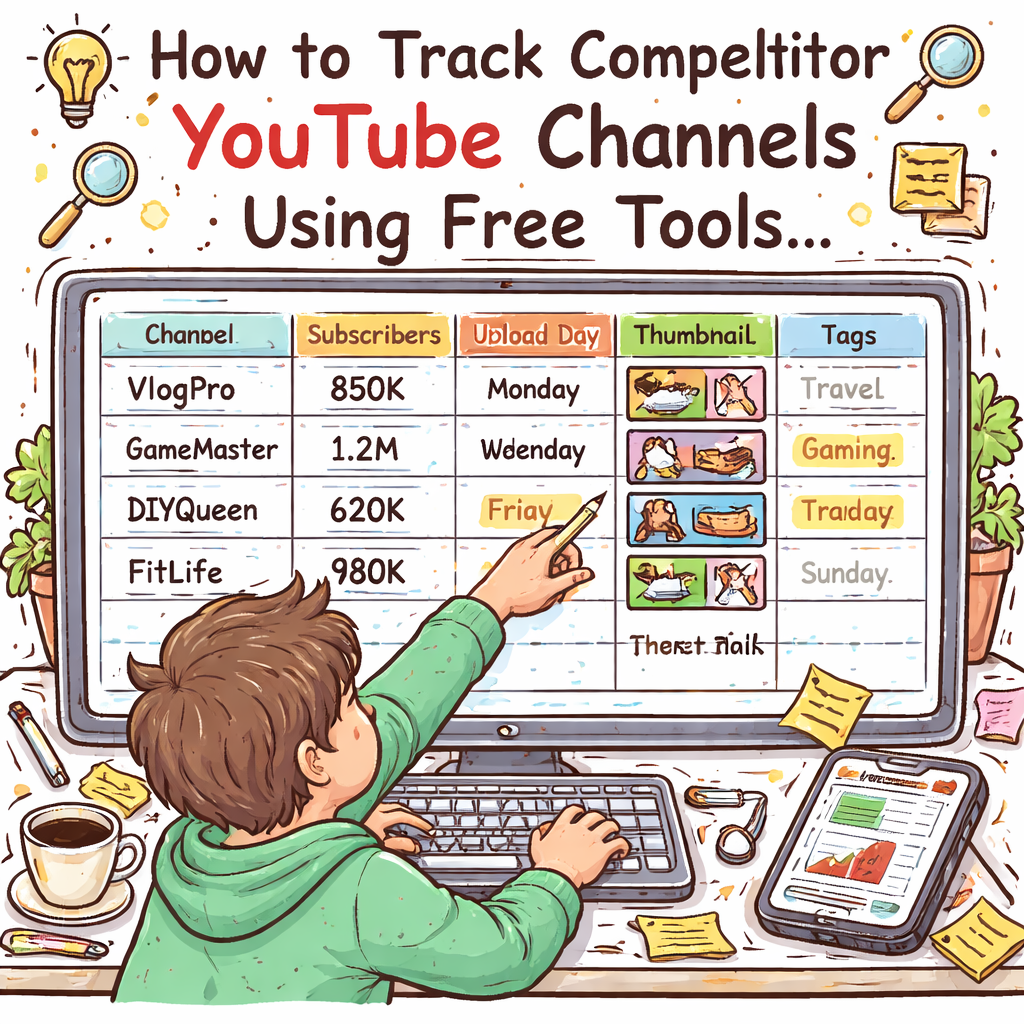
You’re sick of guessing why your rival’s videos rack up views while yours stall. The truth? They’re spying on every move, every thumbnail, every hook. You can stop watching in the dark. First, grab the channel URL of the creator you want to stalk. Paste it into a tool that pulls their latest upload list, subscriber count, and average watch time. Spot the pattern: do they drop videos on Tuesdays? Do they use bold text in titles? Write those observations down. Next, set up alerts. Most platforms let you fire a notification whenever a new video hits the competitor’s feed. That way you’ll be the first to see a fresh idea and can react before the algorithm buries it. Then, break down the metadata. Pull the title, description, tags, and thumbnail URL. Look for recurring keywords or phrases. If “how to” appears in three out of five titles, that’s a clue you should test a similar angle. Finally, map the performance. Compare views, likes, and comments to see which formats actually win. A quick spreadsheet can turn raw numbers into a visual cheat sheet you can copy. Platforms like Data-Driven Insights for Boosting YouTube Videos – Velio make this whole process smoother by gathering the data in one place and sending you alerts when a rival drops a viral hit. If you need a break from the grind, check out a totally different kind of planning tool: the Birthday Party Photo Booth Rental Guide for 2026. It shows how a clear checklist can save you hours, a habit that works for YouTube research too. Table of Contents Step 1: Identify Your Competitor Channels Step 2: Gather Data with Free YouTube Tools Step 3: Use Third‑Party Monitoring Platforms Step 4: Set Up Automated Monitoring Dashboards Step 5: Analyze Trends and Choose Your Action Plan Conclusion FAQ Step 1: Identify Your Competitor Channels Stop guessing and start spying. If you don’t know who’s winning, you’ll never catch up. First, write down the three to five creators who already own the niche you want to crush. Look for channels with similar topics, audience size, or upload style. That’s your target list. Grab each channel’s URL and drop it into a tool that can scan YouTube in real time. The Chrome extension SimilarTube does exactly that – it pulls the latest videos, subscriber counts, and key metrics in seconds. Next, set up alerts. Most platforms let you fire a notification whenever a rival drops a new video. You can also hit the bell on their YouTube page so you get the push as soon as it goes live. Now watch the video below. It walks through the whole process in under five minutes. After you catch a fresh upload, note the day it went live, the thumbnail vibe, and the hook in the title. Do they drop videos on Tuesdays? Do they use bold caps or emojis? Write those patterns down. Put the data in a simple spreadsheet: column A – channel name, B – upload day, C – thumbnail style, D – keyword trend. Sort by frequency and you’ll see the winning formula. One more cheat: check what people are actually searching for. Backlinko’s list of top YouTube searches shows the hottest keywords for 2026. Align your competitor’s tags with those terms to spot gaps you can fill. Action checklist: 1) List 3‑5 rivals. 2) Add URLs to SimilarTube. 3) Enable alerts. 4) Log upload cadence, thumbnail, and hook. 5) Compare against top search terms. Do this every week and you’ll stay ahead of the sh*t show. Step 2: Gather Data with Free YouTube Tools Now that you know who to watch, it’s time to pull the numbers that matter. Free tools give you raw data without costing a dime. Here’s how you can stack them up. Step 1: Pull channel stats. Open the channel, click “About” and copy subscriber count, total views and upload frequency. Paste those figures into a spreadsheet column. Step 2: Grab video metadata. Use the free SimilarTube extension or the built in “View source” trick to copy titles, tags and thumbnail URLs. Log publish date, title length and any emojis for each video. Step 3: Check search demand. Head to the Metricool’s free competitor analysis guide and pull the list of top search keywords for 2026. Match those keywords against the tags you collected. Any gaps are low hanging video ideas. Pro tip: sort your sheet by upload day. If three rivals drop videos on Tuesdays, you might want to try a Tuesday release too. So what do you do with the data? Look for patterns. High views on videos that use bold caps in titles? That’s a signal. Low engagement on long thumbnails? Trim them down. Run this routine every week. In a few minutes you’ll have a live cheat sheet that shows what’s working, what’s not, and where you can jump in with fresh content. Step 3: Use Third‑Party Monitoring Platforms You’ve logged the data, now stop chasing every upload yourself. Let a monitoring tool do the heavy lifting. Third‑party platforms watch the channels you care about and ping you the second a new video drops. No more endless page refreshes. Set it up in minutes Pick a service that lets you paste a list of competitor URLs, choose email or Slack as the alert method, and turn on “instant” notifications. Drop the URLs from Steps 1‑2, hit save, and the platform will poll each feed every few minutes. When an alert arrives, copy the video link into your spreadsheet and note the title style, thumbnail vibe, and upload day. If you see three alerts land on the same weekday, you’ve uncovered a cadence you can copy. Turn alerts into a quick‑win checklist Flag any alert that mentions a rising keyword gap idea. Produce a short video on that topic before the trend cools off. Pair a simple email alert with a Discord push to keep the signal loud and the noise low. Bonus tip: use
YouTube Hook Examples for Retention: A Practical Guide

Most creators think a good video just needs a cool topic, but the real secret is the first few seconds. A strong hook can keep viewers glued for the whole run, and without it your video will tank. You’ve probably felt the panic of a flat start – a title that looks good, a thumbnail that shines, yet people drop off at 0:05. That drop‑off tells YouTube the video isn’t worth showing, so the algorithm shoves it down. Here’s a quick way to test hook ideas: write three one‑sentence hooks, record a 5‑second intro for each, and watch the audience retention graph in YouTube Studio. Pick the version that holds viewers past the 10‑second mark, then build the rest of the script around that hook. Platforms like Data‑Driven Insights for Boosting YouTube Videos let you spy on top‑performing hooks in your niche, so you can copy the pattern and add your own spin. For a broader view on how AI tools can audit your SEO and keep your videos visible, see How to Choose and Use an AI SEO Audit Tool in 2026. Table of Contents Step 1: Start With a Provocative Question Step 2: Use a Surprising Fact or Statistic Step 3: Compare Options in a Quick Table Step 4: Tease the Main Content with a Mini‑Story Step 5: Add a Visual Cue or Countdown Step 6: Reinforce With a Quick Recap Graphic Conclusion FAQ Step 1: Start With a Provocative Question Got a viewer staring at the first two seconds? If you don’t hit them with a question that makes them think, they’ll scroll. A good question pulls the brain in, forces a tiny mental itch. Think of it like a pop‑quiz for your audience. You ask, “What if you could double your watch time in 30 seconds?” The mind starts racing for an answer. That tiny spark is what keeps the retention curve up. Here’s a quick test: write three one‑sentence questions, record a five‑second intro for each, then check the audience retention graph in YouTube Studio. Pick the one that holds viewers past the 10‑second mark. That’s your winning hook. Why does this work? Studies show viewers decide to stay or bail in about 2 seconds, the “2‑Second Rule” research on hook effectiveness. A question creates curiosity faster than a statement. Now take that spark and tie it to your video’s promise. If you’re a digital marketer, ask “Why do some ads stay glued in a viewer’s mind?” If you’re an educator, try “What if you could learn Photoshop in under five minutes?” The question should match the viewer’s world. Finally, keep it short. One question, under ten words, punchy and clear. That’s the sweet spot for YouTube hook examples for retention. Test, tweak, and repeat until the retention graph smiles. Step 2: Use a Surprising Fact or Statistic Drop a jaw‑dropping number right at the start and you’ll yank the viewer’s brain into gear. A fact that feels out of the blue makes the mind pause, and that pause is pure gold for retention. Here’s a quick way to hunt for that nugget. Open a trend tool, type in your niche keyword, then sort by “views per video.” Look for a stat that’s both bold and easy to say in under ten words. For example, “90% of gamers watch tutorials under 3 minutes.” That line alone can turn a bland intro into a hook that sticks. Once you’ve got the fact, stitch it into a question or a claim that ties to your promise. Try, “Did you know 90% of gamers quit a tutorial after 3 minutes? Stay till the end and we’ll keep you hooked.” You’re giving a reason to stay while promising a payoff. Test it. Record two versions: one with the fact, one without. Drop both into YouTube Studio and watch the retention curve. The version with the surprising stat should hold viewers longer. Need a shortcut to find those stats? Platforms like Velio let you filter by view count and pull the biggest numbers in seconds, so you can skip the endless scrolling. Remember, the fact must be real enough to feel credible but bold enough to spark curiosity. Pair it with a clear benefit, and you’ve got a hook that keeps eyes glued past the first ten seconds. Step 3: Compare Options in a Quick Table Now you’ve got a handful of hook ideas, it’s time to line them up side by side. A quick table lets you see which format fits your video style and audience the best. Grab a spreadsheet or a piece of paper. List each hook type, a short example, and the sweet spot where it shines. That visual cheat‑sheet keeps you from over‑thinking and lets you pick the winner fast. Here’s a ready‑made table you can copy: Hook Type Example Best For Question Hook “What if you could double your watch time in 30 seconds?” When you want to spark curiosity right away. Shock Fact Hook “90% of gamers quit tutorials after 3 minutes.” When you have a bold statistic that fits your niche. Promise Hook “Stay till the end and I’ll reveal the exact script that blew up my last video.” When you can deliver a clear payoff. Use the table to rank each row on a scale of 1‑5 for relevance, ease of delivery, and expected impact. Add up the scores and the top scorer becomes your go‑to hook. Tip: If you’re stuck, swing by Velio – Helping YouTubers uncover proven viral video ideas. Their AI filters can surface real‑world hooks that already work in your niche. Once you’ve chosen a hook, test it. Record two 5‑second intros – one with the selected hook, one with a fallback. Upload both, watch the retention curve, and let the data tell you which wins. For a broader view on how tools can streamline your posting schedule, check out Best Social Media Scheduling Software for Marketers in 2026. If you need automation beyond scheduling, the
YouTube Title Formulas for High Click‑Through Rate: A Step‑By‑Step Guide
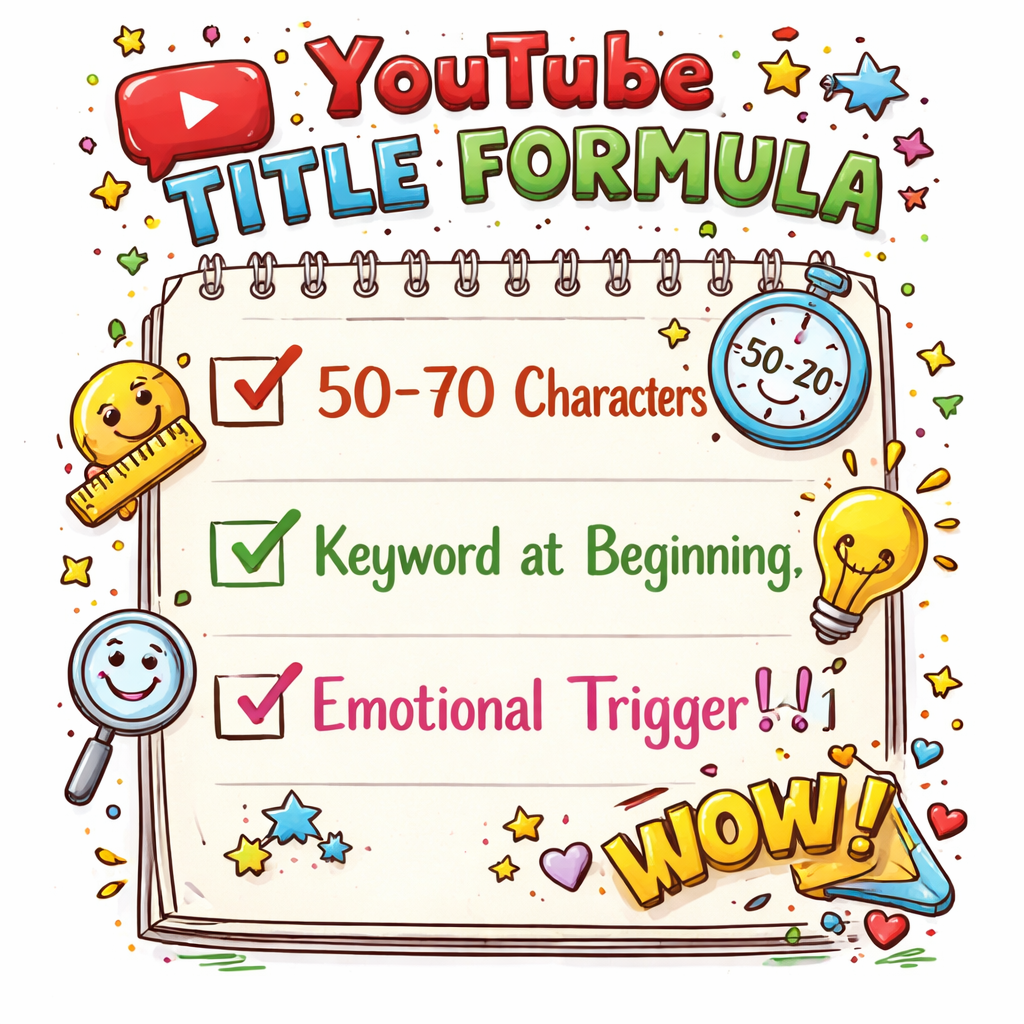
Your title can make or break a video. One line decides if a viewer clicks or scrolls past. That’s why you need a formula that forces eyes to stop. Click‑through rate is the lifeblood of any YouTube channel. High CTR tells the algorithm you’ve got something worth showing, so it pushes you higher. Low CTR? It drags you down fast. The trick is to blend three parts: a hook, a promise, and a trigger word. Hook grabs attention, promise tells what they’ll learn, trigger word sparks curiosity or urgency. Try this: “How to Rank a Video in 24 Hours, No Fancy Tools”. Hook = “How to Rank”, promise = “in 24 Hours”, trigger = “No Fancy Tools”. It’s short, bold, and tells a clear result. Another win: “Why Your Thumbnails Suck, 5 Fixes You Can Add Today”. Hook = “Why Your Thumbnails Suck”, promise = “5 Fixes”, trigger = “Today”. The word “Today” adds urgency, and the negative hook makes viewers want a fix. Action steps: 1️⃣ Pull top‑ranked videos in your niche. 2️⃣ Spot the title pattern they all share. 3️⃣ Swap in your own keyword and a power word. 4️⃣ Test for a week and watch CTR climb. If you want a shortcut that does the heavy lifting, check out The fastest way to unf*ck your YouTube Channel. It pulls data from millions of videos so you can copy proven formulas in seconds. Even if you’re making a wedding recap video, the same rule applies. For extra tips on event‑style content, see How to Choose the Perfect Wedding Photo Booth Rental: A Step‑by‑Step Guide. Table of Contents Step 1: Understand the Psychology Behind Click‑Through Rates Step 2: Master Core Formula Structures Step 3: Compare Formula Types with Real‑World Data Step 4: Test, Refine, and Scale Your Titles Conclusion & Next Steps FAQ Step 1: Understand the Psychology Behind Click‑Through Rates Your title is the first thing a viewer sees, and that split‑second impression decides if they click or scroll past. Click‑through rate, or CTR, measures how many of those impressions turn into clicks. It’s simply clicks divided by impressions, times 100. Most creators see a CTR between 2% and 10%, with 5%‑6% being a solid baseline for many niches typical YouTube CTR range. Why does that matter? YouTube’s algorithm treats a high CTR as a sign that your video is worth recommending, which can push it higher in search and suggested feeds. Two psychological levers drive clicks: curiosity and urgency. A hook that asks a question or promises a quick win spikes curiosity; a trigger word like “today” or “now” adds urgency. Pull the “CTR” metric from YouTube Analytics for each video. Compare the average over the past 28 days; spikes usually line up with a title change. This gives you a clear cause‑and‑effect trail you can act on. Actionable steps: 1️⃣ Keep your title between 40‑60 characters so the key words stay visible on mobile optimal YouTube title length. 2️⃣ Front‑load the primary keyword within the first 40 characters. 3️⃣ Add one emotional trigger or number to create a clear benefit. If you don’t want to hunt through thousands of videos manually, a platform like Velio can surface high‑performing title formulas in seconds, letting you skip the guesswork and focus on creation. Now test what works. Change one element at a time, swap “today” for “now” or trim five words from the start. Watch the CTR in Analytics for a week; if it climbs, you’ve hit a sweet spot. Remember to keep everything else constant, thumbnail, description, upload time, so the title is the only variable. After a week, note the CTR lift; if it’s under 1% you may need a stronger hook or a clearer benefit. Keep a simple spreadsheet of title length, keyword placement, and CTR. Spot patterns, double‑down on formulas that hit the 40‑50 character sweet spot, and watch your views climb. Step 2: Master Core Formula Structures Now that you know why CTR matters, it’s time to lock down the actual formulas that make people click. Most high‑performing titles follow a three‑part pattern: Hook + Promise + Trigger. The hook pulls the eye, the promise tells what you’ll get, and the trigger adds urgency or curiosity. Pick a proven skeleton Here are three go‑to skeletons you can remix: “How to [Result] in [Time] (No [Pain Point])” “[Number] [Keyword] That [Benefit]“ “Why [Common Mistake] Is Killing Your [Metric]“ Each one gives you a clear slot for your keyword, a specific number, or a strong emotion. Step‑by‑step build 1️⃣ Write a raw version of your title. 2️⃣ Trim every word that isn’t needed. 3️⃣ Move the primary keyword to the first 40 characters. 4️⃣ Slip in one power word like “secret” or “proven”. 5️⃣ End with a trigger – a number, “today”, or a bracketed format. For example, a video about thumbnail hacks could start as “Thumbnail Hacks: 5 Quick Fixes (2026 Update)”. After trimming, it becomes “5 Thumbnail Hacks You Need Today” – keyword front‑loaded, number added, and urgency at the end. Test one change at a time. Swap the trigger word, watch the CTR for a full 48‑hour window, then decide if it’s worth keeping. Need a cheat sheet of all the skeletons we use? Check out our Resource Vault – Velio for a printable checklist. Data from Humble&Brag’s title study shows that titles using a number and a bracketed note lift CTR by about 1‑2 % on average. That small bump can mean hundreds of extra views on a video with 10 K impressions. So grab a video, apply one of the skeletons, and let the numbers speak for themselves. Step 3: Compare Formula Types with Real‑World Data Now it’s time to see which formula actually moves the needle. You’ve built a few titles, but which pattern grabs the most clicks? Pull the data, then pick the winner Open your YouTube Analytics. Filter by traffic source – search, browse, suggested. Note the CTR for each video that uses a different skeleton. Humble&Brag’s recent benchmark report shows search