
YouTube Thumbnail Ideas That Get Clicks – Proven Strategies for 2026

Stop scrolling and face the truth: most thumbnails look like boring posters and get ignored. That’s why you need YouTube thumbnail ideas that get clicks. A killer thumbnail can shave minutes off your bounce rate and boost your view count like a shot of adrenaline. First, think like a human brain on fast‑forward. Bold colors, clear faces, and a single hook word work better than cluttered chaos. For example, a bright red background with a shocked expression and the word “FAIL” tells the viewer exactly what they’ll see. Second, borrow a trick from gamers: use a “before‑and‑after” split. One side shows the problem, the other side the payoff. A creator who makes boat reviews could split the frame: a dull, old boat vs. a sleek pontoon gliding on water. Speaking of boats, if you ever need to buy a pontoon, this guide Buying a Pontoon Boat OK walks you through the basics. Third, add a tiny text overlay that reads like a promise. Keep it under three words – “Watch Fast,” “Earn Money,” “Live Free.” The smaller the text, the louder the click. Want a shortcut that does the heavy lifting? The fastest way to unf*ck your YouTube Channel lets you spy on top‑performing thumbnails, pull out the exact layout, and remix it for your niche. Now grab a screenshot, test three variations, and watch the click‑through rate climb. That’s the simple, no‑BS path to more eyeballs. Try this quick three‑step drill: pick a bright hue, drop a clear face front‑and‑center, then slap a bold one‑word hook. Swap them in YouTube’s preview and note which pulls the highest CTR. Table of Contents Step 1: Master the Basics of Thumbnail Psychology Step 2: Use Design Elements That Drive Clicks Step 3: Proven Thumbnail Formulas (with Comparison Table) Step 4: Tools, Testing, and Optimization (Video Walkthrough) Conclusion FAQ Step 1: Master the Basics of Thumbnail Psychology When a viewer scrolls, their brain snaps a decision in milliseconds. It reads pictures 60,000 times faster than text according to research. That means your thumbnail has one tiny blink to win. First, hit an emotion. Surprise, joy, fear, any feeling pulls the eye. A bright red scream or a shocked face tells the brain “pay attention”. Second, put a close‑up face that looks right at the camera. Studies show people stare at faces, especially when the eyes meet yours Praper Media explains. Make the expression big, shock, laugh, gasp. Third, choose colors that match the vibe. Red fuels urgency, blue feels calm, yellow screams “look here”. Use a high‑contrast combo so the thumbnail pops on any screen. Fourth, leave a curiosity gap. Show a mystery object or a half‑revealed result. The viewer’s brain wants to fill the blank, so it clicks. Sixth, create a clear hierarchy. Put the face biggest, the hook text second, the background color last. The eye follows that order, so the most important part hits first. Add a tiny badge that says “NEW” or “5‑min” to spark FOMO and push the click. If you want a shortcut, use a tool that pulls top‑performing thumbnails from creators in your niche. Scan the colors, faces and text they use, then remix the winning formula for your own video. It saves hours and gives you a data‑backed starting point. Put these five moves together and you’ve built a thumbnail that talks straight to the viewer’s brain. It’s not magic, it’s science, and you can run it on every video. Remember to preview the thumbnail on a phone. If the text is unreadable at a tiny size, ditch it. Keep the focal point big and the wording under three words. Step 2: Use Design Elements That Drive Clicks Design is the secret sauce that turns a bland thumbnail into a click magnet. First, pick a background that screams the video’s vibe. A solid color or simple scene works best because it doesn’t fight the face or text. Red, yellow or teal grab eyes fast. Second, slap a close‑up face that looks straight at the camera. People can’t resist eye contact. Make sure the expression matches the emotion you want – shock, joy or curiosity. Third, add text that’s big, bold and easy to read on a phone. Use a single word or two that promise a payoff, like “WIN” or “FAST”. Choose a contrasting color so the letters pop. Fourth, toss in a tiny badge or icon that adds urgency – “NEW”, “5‑min” or a clock. That little element fires the FOMO reflex. Fifth, leave a mystery gap. Show just enough of the subject to make viewers wonder what happens next. A half‑covered product or a blurred scene works like a hook. All five pieces line up in a clear hierarchy: face biggest, text second, background last. The eye follows that order, so the most important part hits first. Want proof that these pieces matter? Thumbnail Test breaks down the six must‑have elements and even lets you A/B test variations to see which combo wins the most clicks six key thumbnail elements. If you’re short on time, a platform like Velio can pull top‑performing thumbnail layouts from your niche, so you can copy the winning recipe in minutes. Now take a screenshot of your current thumbnail, swap one element at a time, and watch the click‑through rate climb. That’s the fast, no‑BS way to boost every video. Step 3: Proven Thumbnail Formulas (with Comparison Table) Now that you know the five building blocks, let’s mix them into proven formulas you can copy fast. Formula 1: “Shock Face + One‑Word Hook.” Put a close‑up reaction in the center, splash a bright color behind it, and add a single word like “WIN” or “FAIL” in a bold font. The eye lands on the face, then the word tells the viewer what the video promises. Formula 2: “Mystery Gap + Urgency Badge.” Hide part of the subject behind a blur or a mask, then slap a tiny “NEW” or “5‑min” badge in a corner. The hidden part fuels curiosity while the badge pushes
YouTube Thumbnail Ideas That Get Clicks – Proven Strategies for 2026
Stop scrolling and face the truth: most thumbnails look like boring posters and get ignored. That’s why you need YouTube thumbnail ideas that get clicks. A killer thumbnail can shave minutes off your bounce rate and boost your view count like a shot of adrenaline. First, think like a human brain on fast‑forward. Bold colors, clear faces, and a single hook word work better than cluttered chaos. For example, a bright red background with a shocked expression and the word “FAIL” tells the viewer exactly what they’ll see. Second, borrow a trick from gamers: use a “before‑and‑after” split. One side shows the problem, the other side the payoff. A creator who makes boat reviews could split the frame: a dull, old boat vs. a sleek pontoon gliding on water. Speaking of boats, if you ever need to buy a pontoon, this guide Buying a Pontoon Boat OK walks you through the basics. Third, add a tiny text overlay that reads like a promise. Keep it under three words – “Watch Fast,” “Earn Money,” “Live Free.” The smaller the text, the louder the click. Want a shortcut that does the heavy lifting? The fastest way to unf*ck your YouTube Channel lets you spy on top‑performing thumbnails, pull out the exact layout, and remix it for your niche. Now grab a screenshot, test three variations, and watch the click‑through rate climb. That’s the simple, no‑BS path to more eyeballs. Try this quick three‑step drill: pick a bright hue, drop a clear face front‑and‑center, then slap a bold one‑word hook. Swap them in YouTube’s preview and note which pulls the highest CTR. Table of Contents Step 1: Master the Basics of Thumbnail Psychology Step 2: Use Design Elements That Drive Clicks Step 3: Proven Thumbnail Formulas (with Comparison Table) Step 4: Tools, Testing, and Optimization (Video Walkthrough) Conclusion FAQ Step 1: Master the Basics of Thumbnail Psychology When a viewer scrolls, their brain snaps a decision in milliseconds. It reads pictures 60,000 times faster than text according to research. That means your thumbnail has one tiny blink to win. First, hit an emotion. Surprise, joy, fear, any feeling pulls the eye. A bright red scream or a shocked face tells the brain “pay attention”. Second, put a close‑up face that looks right at the camera. Studies show people stare at faces, especially when the eyes meet yours Praper Media explains. Make the expression big, shock, laugh, gasp. Third, choose colors that match the vibe. Red fuels urgency, blue feels calm, yellow screams “look here”. Use a high‑contrast combo so the thumbnail pops on any screen. Fourth, leave a curiosity gap. Show a mystery object or a half‑revealed result. The viewer’s brain wants to fill the blank, so it clicks. Sixth, create a clear hierarchy. Put the face biggest, the hook text second, the background color last. The eye follows that order, so the most important part hits first. Add a tiny badge that says “NEW” or “5‑min” to spark FOMO and push the click. If you want a shortcut, use a tool that pulls top‑performing thumbnails from creators in your niche. Scan the colors, faces and text they use, then remix the winning formula for your own video. It saves hours and gives you a data‑backed starting point. Put these five moves together and you’ve built a thumbnail that talks straight to the viewer’s brain. It’s not magic, it’s science, and you can run it on every video. Remember to preview the thumbnail on a phone. If the text is unreadable at a tiny size, ditch it. Keep the focal point big and the wording under three words. Step 2: Use Design Elements That Drive Clicks Design is the secret sauce that turns a bland thumbnail into a click magnet. First, pick a background that screams the video’s vibe. A solid color or simple scene works best because it doesn’t fight the face or text. Red, yellow or teal grab eyes fast. Second, slap a close‑up face that looks straight at the camera. People can’t resist eye contact. Make sure the expression matches the emotion you want – shock, joy or curiosity. Third, add text that’s big, bold and easy to read on a phone. Use a single word or two that promise a payoff, like “WIN” or “FAST”. Choose a contrasting color so the letters pop. Fourth, toss in a tiny badge or icon that adds urgency – “NEW”, “5‑min” or a clock. That little element fires the FOMO reflex. Fifth, leave a mystery gap. Show just enough of the subject to make viewers wonder what happens next. A half‑covered product or a blurred scene works like a hook. All five pieces line up in a clear hierarchy: face biggest, text second, background last. The eye follows that order, so the most important part hits first. Want proof that these pieces matter? Thumbnail Test breaks down the six must‑have elements and even lets you A/B test variations to see which combo wins the most clicks six key thumbnail elements. If you’re short on time, a platform like Velio can pull top‑performing thumbnail layouts from your niche, so you can copy the winning recipe in minutes. Now take a screenshot of your current thumbnail, swap one element at a time, and watch the click‑through rate climb. That’s the fast, no‑BS way to boost every video. Step 3: Proven Thumbnail Formulas (with Comparison Table) Now that you know the five building blocks, let’s mix them into proven formulas you can copy fast. Formula 1: “Shock Face + One‑Word Hook.” Put a close‑up reaction in the center, splash a bright color behind it, and add a single word like “WIN” or “FAIL” in a bold font. The eye lands on the face, then the word tells the viewer what the video promises. Formula 2: “Mystery Gap + Urgency Badge.” Hide part of the subject behind a blur or a mask, then slap a tiny “NEW” or “5‑min” badge in a corner. The hidden part fuels curiosity while the badge pushes
YouTube Thumbnail Ideas That Get Clicks – Proven Strategies for 2026
Stop scrolling and face the truth: most thumbnails look like boring posters and get ignored. That’s why you need YouTube thumbnail ideas that get clicks. A killer thumbnail can shave minutes off your bounce rate and boost your view count like a shot of adrenaline. First, think like a human brain on fast‑forward. Bold colors, clear faces, and a single hook word work better than cluttered chaos. For example, a bright red background with a shocked expression and the word “FAIL” tells the viewer exactly what they’ll see. Second, borrow a trick from gamers: use a “before‑and‑after” split. One side shows the problem, the other side the payoff. A creator who makes boat reviews could split the frame: a dull, old boat vs. a sleek pontoon gliding on water. Speaking of boats, if you ever need to buy a pontoon, this guide Buying a Pontoon Boat OK walks you through the basics. Third, add a tiny text overlay that reads like a promise. Keep it under three words – “Watch Fast,” “Earn Money,” “Live Free.” The smaller the text, the louder the click. Want a shortcut that does the heavy lifting? The fastest way to unf*ck your YouTube Channel lets you spy on top‑performing thumbnails, pull out the exact layout, and remix it for your niche. Now grab a screenshot, test three variations, and watch the click‑through rate climb. That’s the simple, no‑BS path to more eyeballs. Try this quick three‑step drill: pick a bright hue, drop a clear face front‑and‑center, then slap a bold one‑word hook. Swap them in YouTube’s preview and note which pulls the highest CTR. Table of Contents Step 1: Master the Basics of Thumbnail Psychology Step 2: Use Design Elements That Drive Clicks Step 3: Proven Thumbnail Formulas (with Comparison Table) Step 4: Tools, Testing, and Optimization (Video Walkthrough) Conclusion FAQ Step 1: Master the Basics of Thumbnail Psychology When a viewer scrolls, their brain snaps a decision in milliseconds. It reads pictures 60,000 times faster than text according to research. That means your thumbnail has one tiny blink to win. First, hit an emotion. Surprise, joy, fear, any feeling pulls the eye. A bright red scream or a shocked face tells the brain “pay attention”. Second, put a close‑up face that looks right at the camera. Studies show people stare at faces, especially when the eyes meet yours Praper Media explains. Make the expression big, shock, laugh, gasp. Third, choose colors that match the vibe. Red fuels urgency, blue feels calm, yellow screams “look here”. Use a high‑contrast combo so the thumbnail pops on any screen. Fourth, leave a curiosity gap. Show a mystery object or a half‑revealed result. The viewer’s brain wants to fill the blank, so it clicks. Sixth, create a clear hierarchy. Put the face biggest, the hook text second, the background color last. The eye follows that order, so the most important part hits first. Add a tiny badge that says “NEW” or “5‑min” to spark FOMO and push the click. If you want a shortcut, use a tool that pulls top‑performing thumbnails from creators in your niche. Scan the colors, faces and text they use, then remix the winning formula for your own video. It saves hours and gives you a data‑backed starting point. Put these five moves together and you’ve built a thumbnail that talks straight to the viewer’s brain. It’s not magic, it’s science, and you can run it on every video. Remember to preview the thumbnail on a phone. If the text is unreadable at a tiny size, ditch it. Keep the focal point big and the wording under three words. Step 2: Use Design Elements That Drive Clicks Design is the secret sauce that turns a bland thumbnail into a click magnet. First, pick a background that screams the video’s vibe. A solid color or simple scene works best because it doesn’t fight the face or text. Red, yellow or teal grab eyes fast. Second, slap a close‑up face that looks straight at the camera. People can’t resist eye contact. Make sure the expression matches the emotion you want – shock, joy or curiosity. Third, add text that’s big, bold and easy to read on a phone. Use a single word or two that promise a payoff, like “WIN” or “FAST”. Choose a contrasting color so the letters pop. Fourth, toss in a tiny badge or icon that adds urgency – “NEW”, “5‑min” or a clock. That little element fires the FOMO reflex. Fifth, leave a mystery gap. Show just enough of the subject to make viewers wonder what happens next. A half‑covered product or a blurred scene works like a hook. All five pieces line up in a clear hierarchy: face biggest, text second, background last. The eye follows that order, so the most important part hits first. Want proof that these pieces matter? Thumbnail Test breaks down the six must‑have elements and even lets you A/B test variations to see which combo wins the most clicks six key thumbnail elements. If you’re short on time, a platform like Velio can pull top‑performing thumbnail layouts from your niche, so you can copy the winning recipe in minutes. Now take a screenshot of your current thumbnail, swap one element at a time, and watch the click‑through rate climb. That’s the fast, no‑BS way to boost every video. Step 3: Proven Thumbnail Formulas (with Comparison Table) Now that you know the five building blocks, let’s mix them into proven formulas you can copy fast. Formula 1: “Shock Face + One‑Word Hook.” Put a close‑up reaction in the center, splash a bright color behind it, and add a single word like “WIN” or “FAIL” in a bold font. The eye lands on the face, then the word tells the viewer what the video promises. Formula 2: “Mystery Gap + Urgency Badge.” Hide part of the subject behind a blur or a mask, then slap a tiny “NEW” or “5‑min” badge in a corner. The hidden part fuels curiosity while the badge pushes
How to Identify Viral Patterns on YouTube: A Step‑by‑Step Guide

Finding a viral spark on YouTube feels like hunting for a needle in a haystack that’s on fire. You watch endless videos, chase trends, and still end up with flat views. What if you could cut through the noise with data, not guesswork? Spotting viral patterns means looking at three things: the thumbnail hook that grabs eyes, the title that pulls clicks, and the content structure that keeps viewers glued. Start by pulling the top‑performing videos in your niche. Note the color scheme of the thumbnails – bright reds or deep blues show up a lot. Jot the common words in titles – often a number, a promise, or a question. Then map the video length and pacing; most hits sit between 8‑12 minutes and use quick cuts in the first 30 seconds. Once you have a list, filter out the outliers and focus on the repeats. That’s the sweet spot where a formula emerges. The fastest way to unf*ck your YouTube Channel walks you through the exact filters and AI‑powered search to turn those repeats into ready‑to‑use ideas. Table of Contents Step 1: Gather Reliable Data Sources Step 2: Analyze View‑Count Growth Curves Step 3: Spot Repeating Content Themes Step 4: Measure Engagement Ratios Step 5: Compare Findings with a Quick Reference Table FAQ Conclusion Step 1: Gather Reliable Data Sources First thing you need is raw data, not hype. Without solid numbers you’re just guessing what might blow up. Start with sources that actually reflect what viewers are doing. YouTube’s Trending page shows the videos that the algorithm is already pushing. Channel analytics give you watch time, retention spikes, and click‑through rates for each upload. Don’t stop at YouTube. Check out public playlists in your niche, scrape the top‑10 results for a keyword, and pull the comment counts. Those numbers let you spot patterns that repeat across creators. Tip: a quick search in a tool that scans millions of videos can pull thumbnail colors, title length, and opening pacing in seconds. That’s where a platform like Velio saves you from endless copy‑pasting. So, what should you do with all that info? Filter out the one‑off flukes and keep the stats that show up again and again. Those repeats are the clues to a viral formula. Watch the video, then open a spreadsheet. List each video’s thumbnail hue, title word count, and the length of the first 30 seconds. Highlight any row where two or more of those factors line up with a high retention rate. When your list is clean, you’ve got a data set you can actually trust. Use it to feed your next AI search, or just eyeball the common hooks. Either way you’re no longer flying blind. Step 2: Analyze View‑Count Growth Curves View‑count curves tell you if a video is catching fire or fizzling out. They’re the pulse you can actually see, no guesswork. First, pull the daily view numbers from YouTube’s analytics. Export them as a CSV and drop them into a quick spreadsheet. Plot a simple line chart – you don’t need fancy software, just Google Sheets or Excel. Now stare at the line. Look for any steep climbs. A jump of 50% or more in a single day? That’s a red flag that something clicked – maybe a thumbnail tweak, a headline boost, or a share on another platform. Here’s a hypothetical: a cooking channel posts a 10‑minute recipe and gets 3 k views day 1. On day 3 the view count spikes to 12 k after the creator adds a bold “How to make the perfect pancake” hook in the title. The curve shows a clear upward kink. That kink points to the hook as a viral trigger. Action steps: Export the view‑count timeline for each top video. Mark any day where growth exceeds 40‑50%. Cross‑check what changed that day – thumbnail color, title wording, promotion channel. Group videos with similar spikes and note the common element. Do the same for videos that never break the line. Those flat curves show what to avoid. Tip: Use Data‑Driven Insights for Boosting YouTube Videos to keep all your curves in one place and compare them side‑by‑side without juggling spreadsheets. When you can read the growth curve like a map, you stop guessing and start copying the exact moves that push view counts up. That’s how you nail down the pattern that makes a video go viral. Step 3: Spot Repeating Content Themes Now that you’ve mapped the spikes, it’s time to hunt for the patterns that show up again and again. Pull the top‑10 videos that hit a growth jump. Open each title, thumbnail, and first 30 seconds. Write down anything that repeats, a color, a word, a hook phrase, a cut style. Look for the low‑effort wins. If three out of five winners start with “how to” or use a bright orange thumbnail, that’s a signal. Mark it. A quick way to flag repeats is a simple spreadsheet. Create columns for thumbnail hue, title length, keyword, and opening beat. Then use the filter function to group identical rows. The groups that line up with high retention are your repeatable themes. Does a pattern pop up for you yet? If not, widen the net, include the next tier of videos that grew 20‑30% in a day. Don’t forget the flat lines. Those videos that never broke the curve often share a missing element, maybe no hook, muted colors, or a vague title. Write those down too; they tell you what to cut. Once you have a list of recurring hooks, thumbnail styles, and pacing tricks, you can build a checklist. Before you upload a new video, ask: does it have one of the winning colors? Does the title promise a clear result? Is the first 15 seconds a hook or a yawner? Use that checklist as your shortcut. It cuts the guesswork out of every upload and lets you copy the moves that already proved to work. Platforms like Velio let you pull these data points
How to Identify Viral Patterns on YouTube: A Step‑by‑Step Guide
Finding a viral spark on YouTube feels like hunting for a needle in a haystack that’s on fire. You watch endless videos, chase trends, and still end up with flat views. What if you could cut through the noise with data, not guesswork? Spotting viral patterns means looking at three things: the thumbnail hook that grabs eyes, the title that pulls clicks, and the content structure that keeps viewers glued. Start by pulling the top‑performing videos in your niche. Note the color scheme of the thumbnails – bright reds or deep blues show up a lot. Jot the common words in titles – often a number, a promise, or a question. Then map the video length and pacing; most hits sit between 8‑12 minutes and use quick cuts in the first 30 seconds. Once you have a list, filter out the outliers and focus on the repeats. That’s the sweet spot where a formula emerges. The fastest way to unf*ck your YouTube Channel walks you through the exact filters and AI‑powered search to turn those repeats into ready‑to‑use ideas. Table of Contents Step 1: Gather Reliable Data Sources Step 2: Analyze View‑Count Growth Curves Step 3: Spot Repeating Content Themes Step 4: Measure Engagement Ratios Step 5: Compare Findings with a Quick Reference Table FAQ Conclusion Step 1: Gather Reliable Data Sources First thing you need is raw data, not hype. Without solid numbers you’re just guessing what might blow up. Start with sources that actually reflect what viewers are doing. YouTube’s Trending page shows the videos that the algorithm is already pushing. Channel analytics give you watch time, retention spikes, and click‑through rates for each upload. Don’t stop at YouTube. Check out public playlists in your niche, scrape the top‑10 results for a keyword, and pull the comment counts. Those numbers let you spot patterns that repeat across creators. Tip: a quick search in a tool that scans millions of videos can pull thumbnail colors, title length, and opening pacing in seconds. That’s where a platform like Velio saves you from endless copy‑pasting. So, what should you do with all that info? Filter out the one‑off flukes and keep the stats that show up again and again. Those repeats are the clues to a viral formula. Watch the video, then open a spreadsheet. List each video’s thumbnail hue, title word count, and the length of the first 30 seconds. Highlight any row where two or more of those factors line up with a high retention rate. When your list is clean, you’ve got a data set you can actually trust. Use it to feed your next AI search, or just eyeball the common hooks. Either way you’re no longer flying blind. Step 2: Analyze View‑Count Growth Curves View‑count curves tell you if a video is catching fire or fizzling out. They’re the pulse you can actually see, no guesswork. First, pull the daily view numbers from YouTube’s analytics. Export them as a CSV and drop them into a quick spreadsheet. Plot a simple line chart – you don’t need fancy software, just Google Sheets or Excel. Now stare at the line. Look for any steep climbs. A jump of 50% or more in a single day? That’s a red flag that something clicked – maybe a thumbnail tweak, a headline boost, or a share on another platform. Here’s a hypothetical: a cooking channel posts a 10‑minute recipe and gets 3 k views day 1. On day 3 the view count spikes to 12 k after the creator adds a bold “How to make the perfect pancake” hook in the title. The curve shows a clear upward kink. That kink points to the hook as a viral trigger. Action steps: Export the view‑count timeline for each top video. Mark any day where growth exceeds 40‑50%. Cross‑check what changed that day – thumbnail color, title wording, promotion channel. Group videos with similar spikes and note the common element. Do the same for videos that never break the line. Those flat curves show what to avoid. Tip: Use Data‑Driven Insights for Boosting YouTube Videos to keep all your curves in one place and compare them side‑by‑side without juggling spreadsheets. When you can read the growth curve like a map, you stop guessing and start copying the exact moves that push view counts up. That’s how you nail down the pattern that makes a video go viral. Step 3: Spot Repeating Content Themes Now that you’ve mapped the spikes, it’s time to hunt for the patterns that show up again and again. Pull the top‑10 videos that hit a growth jump. Open each title, thumbnail, and first 30 seconds. Write down anything that repeats, a color, a word, a hook phrase, a cut style. Look for the low‑effort wins. If three out of five winners start with “how to” or use a bright orange thumbnail, that’s a signal. Mark it. A quick way to flag repeats is a simple spreadsheet. Create columns for thumbnail hue, title length, keyword, and opening beat. Then use the filter function to group identical rows. The groups that line up with high retention are your repeatable themes. Does a pattern pop up for you yet? If not, widen the net, include the next tier of videos that grew 20‑30% in a day. Don’t forget the flat lines. Those videos that never broke the curve often share a missing element, maybe no hook, muted colors, or a vague title. Write those down too; they tell you what to cut. Once you have a list of recurring hooks, thumbnail styles, and pacing tricks, you can build a checklist. Before you upload a new video, ask: does it have one of the winning colors? Does the title promise a clear result? Is the first 15 seconds a hook or a yawner? Use that checklist as your shortcut. It cuts the guesswork out of every upload and lets you copy the moves that already proved to work. Platforms like Velio let you pull these data points
How to Identify Viral Patterns on YouTube: A Step‑by‑Step Guide
Finding a viral spark on YouTube feels like hunting for a needle in a haystack that’s on fire. You watch endless videos, chase trends, and still end up with flat views. What if you could cut through the noise with data, not guesswork? Spotting viral patterns means looking at three things: the thumbnail hook that grabs eyes, the title that pulls clicks, and the content structure that keeps viewers glued. Start by pulling the top‑performing videos in your niche. Note the color scheme of the thumbnails – bright reds or deep blues show up a lot. Jot the common words in titles – often a number, a promise, or a question. Then map the video length and pacing; most hits sit between 8‑12 minutes and use quick cuts in the first 30 seconds. Once you have a list, filter out the outliers and focus on the repeats. That’s the sweet spot where a formula emerges. The fastest way to unf*ck your YouTube Channel walks you through the exact filters and AI‑powered search to turn those repeats into ready‑to‑use ideas. Table of Contents Step 1: Gather Reliable Data Sources Step 2: Analyze View‑Count Growth Curves Step 3: Spot Repeating Content Themes Step 4: Measure Engagement Ratios Step 5: Compare Findings with a Quick Reference Table FAQ Conclusion Step 1: Gather Reliable Data Sources First thing you need is raw data, not hype. Without solid numbers you’re just guessing what might blow up. Start with sources that actually reflect what viewers are doing. YouTube’s Trending page shows the videos that the algorithm is already pushing. Channel analytics give you watch time, retention spikes, and click‑through rates for each upload. Don’t stop at YouTube. Check out public playlists in your niche, scrape the top‑10 results for a keyword, and pull the comment counts. Those numbers let you spot patterns that repeat across creators. Tip: a quick search in a tool that scans millions of videos can pull thumbnail colors, title length, and opening pacing in seconds. That’s where a platform like Velio saves you from endless copy‑pasting. So, what should you do with all that info? Filter out the one‑off flukes and keep the stats that show up again and again. Those repeats are the clues to a viral formula. Watch the video, then open a spreadsheet. List each video’s thumbnail hue, title word count, and the length of the first 30 seconds. Highlight any row where two or more of those factors line up with a high retention rate. When your list is clean, you’ve got a data set you can actually trust. Use it to feed your next AI search, or just eyeball the common hooks. Either way you’re no longer flying blind. Step 2: Analyze View‑Count Growth Curves View‑count curves tell you if a video is catching fire or fizzling out. They’re the pulse you can actually see, no guesswork. First, pull the daily view numbers from YouTube’s analytics. Export them as a CSV and drop them into a quick spreadsheet. Plot a simple line chart – you don’t need fancy software, just Google Sheets or Excel. Now stare at the line. Look for any steep climbs. A jump of 50% or more in a single day? That’s a red flag that something clicked – maybe a thumbnail tweak, a headline boost, or a share on another platform. Here’s a hypothetical: a cooking channel posts a 10‑minute recipe and gets 3 k views day 1. On day 3 the view count spikes to 12 k after the creator adds a bold “How to make the perfect pancake” hook in the title. The curve shows a clear upward kink. That kink points to the hook as a viral trigger. Action steps: Export the view‑count timeline for each top video. Mark any day where growth exceeds 40‑50%. Cross‑check what changed that day – thumbnail color, title wording, promotion channel. Group videos with similar spikes and note the common element. Do the same for videos that never break the line. Those flat curves show what to avoid. Tip: Use Data‑Driven Insights for Boosting YouTube Videos to keep all your curves in one place and compare them side‑by‑side without juggling spreadsheets. When you can read the growth curve like a map, you stop guessing and start copying the exact moves that push view counts up. That’s how you nail down the pattern that makes a video go viral. Step 3: Spot Repeating Content Themes Now that you’ve mapped the spikes, it’s time to hunt for the patterns that show up again and again. Pull the top‑10 videos that hit a growth jump. Open each title, thumbnail, and first 30 seconds. Write down anything that repeats, a color, a word, a hook phrase, a cut style. Look for the low‑effort wins. If three out of five winners start with “how to” or use a bright orange thumbnail, that’s a signal. Mark it. A quick way to flag repeats is a simple spreadsheet. Create columns for thumbnail hue, title length, keyword, and opening beat. Then use the filter function to group identical rows. The groups that line up with high retention are your repeatable themes. Does a pattern pop up for you yet? If not, widen the net, include the next tier of videos that grew 20‑30% in a day. Don’t forget the flat lines. Those videos that never broke the curve often share a missing element, maybe no hook, muted colors, or a vague title. Write those down too; they tell you what to cut. Once you have a list of recurring hooks, thumbnail styles, and pacing tricks, you can build a checklist. Before you upload a new video, ask: does it have one of the winning colors? Does the title promise a clear result? Is the first 15 seconds a hook or a yawner? Use that checklist as your shortcut. It cuts the guesswork out of every upload and lets you copy the moves that already proved to work. Platforms like Velio let you pull these data points
How to Get More Views with Better Thumbnails – Pro Tips 2026

Want more clicks on your videos? You need thumbnails that grab eyes fast. In 2026 the battle for eyeballs is fierce, but a solid thumbnail can be the shortcut you need. In this guide we’ll break down how to get more views with better thumbnails. You’ll walk through each step, see real‑world examples, and get tools you can use today. An analysis of 25 thumbnail recommendations from six authoritative sources reveals that AI‑powered tools appear in only 16% of advice yet promise the biggest click‑through gains, while 70% of YouTube views actually come from the homepage , a factor most tips completely ignore. Comparison of 25 Thumbnail Recommendations, April 2026 | Data from 6 sources Finding Detail Source YouTube Growth SaaS Platform (Our Pick) AI‑powered thumbnail and video idea generation velio.co Use one clear focal point to guide viewer’s eye. Cluttered thumbnails get scrolled past. vidiq.com Employ high contrast (bright on dark or vice versa). Ensures thumbnail pops in both light and dark mode. vidiq.com Refine titles and thumbnails to make content stand out and increase clicks. Nail the details that make your content stand out and get more clicks. tubebuddy.com Optimize thumbnails (along with titles, descriptions, tags) to boost watch time and algorithm favor. optimizing thumbnails, titles, descriptions, and tags to get more watch time and more YouTube algorithm love tubebuddy.com Use a burning question that taps into viewers’ curiosity or concerns. Posing the right question makes viewers desperate to know the answer. vidiq.com Include facts and statistics in thumbnails for data‑driven niches. Stats can entice viewers in sports, science, history. vidiq.com Show before‑and‑after transformation to demonstrate value. Transformation thumbnails prove the video is worth watching. vidiq.com Use a versus format to compare two items in the same category. Helps viewers understand what will be compared and why they should care. vidiq.com Add a quote or sound bite from the video as text on the thumbnail. Provides a subtle preview and increases enticement. vidiq.com Use exaggerated facial expressions and close‑up faces. Close‑up faces are classic and never go out of style. vidiq.com Capture an action‑packed scene and edit it bold, colorful, adventurous. Makes video stand out from competition. vidiq.com Feature the product being reviewed in the thumbnail. Helps viewers decide whether to click. vidiq.com Use humor or a funny title to catch viewers off guard. Provokes laughter and curiosity, prompting clicks. vidiq.com Include nature scenery to capture attention. Nature images are captivating and can draw viewers. vidiq.com Show an emotional or touching moment. Emotional content can drive clicks. vidiq.com Highlight the result or outcome for tutorial videos. Spice up step‑by‑step lessons with result, humor, or experience. vidiq.com Keep text to 3‑4 words max for readability. Thumbnail text must be readable at postage‑stamp size. vidiq.com Use TubeBuddy’s thumbnail creation and analysis tools to improve thumbnail quality. Early in their YouTube journey, TubeBuddy supports creators with thumbnail creation and analysis tools. tubebuddy.com Leverage thumbnail tools to gain confidence in publishing your best work. The tools for thumbnails and and titles give me more confidence that I’m putting out my best work. tubebuddy.com Use AI-generated thumbnails to boost click‑through rate and drive more views. Generate YouTube thumbnails in seconds with AI. Boost your CTR and drive more views. 1of10.com Analyze AI‑identified patterns in top‑performing thumbnails to replicate success. Our AI surfaces patterns in titles, thumbnails, and topics that consistently drive views. 1of10.com Focus on thumbnail appeal because most views come from the YouTube homepage. 70% of all YouTube views now come from the Homepage, not the Search bar. 1of10.com Leverage AI trained on billions of views to maximize thumbnail CTR. 1of10’s AI is trained specifically on 62 billion YouTube views to maximize your Click‑Through Rate (CTR). 1of10.com Use the thumbnail generator to achieve high view counts. I used the thumbnail generator for my latest video, which is already at 1.2 million views. 1of10.com Quick Verdict: YouTube Growth SaaS Platform is the clear winner, delivering AI‑powered thumbnail creation and video‑idea generation in a single solution. For creators who prefer step‑by‑step design guidance, vidIQ’s design guidelines are a solid runner‑up. Purely humorous or nature‑only thumbnails lag behind in impact. Table of Contents Step 1: Identify Your Target Audience & Thumbnail Goal Step 2: Design Visual Elements That Capture Attention Step 3: Create Thumbnails Using Free & Pro Design Tools Step 4: Optimize Size, Format, and SEO Keywords Step 5: Test, Analyze Metrics, and Refine Your Thumbnails Conclusion FAQ Step 1: Identify Your Target Audience & Thumbnail Goal If you want to learn how to get more views with better thumbnails, start by knowing who you’re talking to. First, write down your ideal viewer’s age, interests, and pain points. Are they teens who love gaming? Or small biz owners hunting marketing tips? The clearer the picture, the sharper the thumbnail can be. Next, set a goal for each thumbnail. Do you want clicks, shares, or longer watch time? A goal helps you pick colors, text, and images that match the viewer’s intent. Here’s a quick way to map it out: Audience: Young creators (18‑24) , love bold colors and fast cuts. Goal: Boost CTR by 20% , use a bright focal point and short text. Metric: Track clicks in YouTube Studio after 48 hours. Why this matters? 70% of views now come from the homepage, so you need a thumbnail that pops among dozens of rivals. And if you’re stuck, Velio’s Resource Vault – Velio gives you data on what works for similar audiences. Pro tip: Keep a spreadsheet of audience traits, thumbnail goals, and results. Review it weekly to spot patterns. Now that you know who you’re aiming at, you can design with purpose. When you’ve nailed the audience, you can move to the visual side. Imagine a gamer channel. The thumbnail should feature a game controller, bright neon, and a short hook like “Win 10‑x faster!” That matches what gamers click. Conversely, a finance channel needs a clean look, a simple graph, and text like “Save $500”. Remember: the thumbnail is the promise.
How to Get More Views with Better Thumbnails – Pro Tips 2026
Want more clicks on your videos? You need thumbnails that grab eyes fast. In 2026 the battle for eyeballs is fierce, but a solid thumbnail can be the shortcut you need. In this guide we’ll break down how to get more views with better thumbnails. You’ll walk through each step, see real‑world examples, and get tools you can use today. An analysis of 25 thumbnail recommendations from six authoritative sources reveals that AI‑powered tools appear in only 16% of advice yet promise the biggest click‑through gains, while 70% of YouTube views actually come from the homepage , a factor most tips completely ignore. Comparison of 25 Thumbnail Recommendations, April 2026 | Data from 6 sources Finding Detail Source YouTube Growth SaaS Platform (Our Pick) AI‑powered thumbnail and video idea generation velio.co Use one clear focal point to guide viewer’s eye. Cluttered thumbnails get scrolled past. vidiq.com Employ high contrast (bright on dark or vice versa). Ensures thumbnail pops in both light and dark mode. vidiq.com Refine titles and thumbnails to make content stand out and increase clicks. Nail the details that make your content stand out and get more clicks. tubebuddy.com Optimize thumbnails (along with titles, descriptions, tags) to boost watch time and algorithm favor. optimizing thumbnails, titles, descriptions, and tags to get more watch time and more YouTube algorithm love tubebuddy.com Use a burning question that taps into viewers’ curiosity or concerns. Posing the right question makes viewers desperate to know the answer. vidiq.com Include facts and statistics in thumbnails for data‑driven niches. Stats can entice viewers in sports, science, history. vidiq.com Show before‑and‑after transformation to demonstrate value. Transformation thumbnails prove the video is worth watching. vidiq.com Use a versus format to compare two items in the same category. Helps viewers understand what will be compared and why they should care. vidiq.com Add a quote or sound bite from the video as text on the thumbnail. Provides a subtle preview and increases enticement. vidiq.com Use exaggerated facial expressions and close‑up faces. Close‑up faces are classic and never go out of style. vidiq.com Capture an action‑packed scene and edit it bold, colorful, adventurous. Makes video stand out from competition. vidiq.com Feature the product being reviewed in the thumbnail. Helps viewers decide whether to click. vidiq.com Use humor or a funny title to catch viewers off guard. Provokes laughter and curiosity, prompting clicks. vidiq.com Include nature scenery to capture attention. Nature images are captivating and can draw viewers. vidiq.com Show an emotional or touching moment. Emotional content can drive clicks. vidiq.com Highlight the result or outcome for tutorial videos. Spice up step‑by‑step lessons with result, humor, or experience. vidiq.com Keep text to 3‑4 words max for readability. Thumbnail text must be readable at postage‑stamp size. vidiq.com Use TubeBuddy’s thumbnail creation and analysis tools to improve thumbnail quality. Early in their YouTube journey, TubeBuddy supports creators with thumbnail creation and analysis tools. tubebuddy.com Leverage thumbnail tools to gain confidence in publishing your best work. The tools for thumbnails and and titles give me more confidence that I’m putting out my best work. tubebuddy.com Use AI-generated thumbnails to boost click‑through rate and drive more views. Generate YouTube thumbnails in seconds with AI. Boost your CTR and drive more views. 1of10.com Analyze AI‑identified patterns in top‑performing thumbnails to replicate success. Our AI surfaces patterns in titles, thumbnails, and topics that consistently drive views. 1of10.com Focus on thumbnail appeal because most views come from the YouTube homepage. 70% of all YouTube views now come from the Homepage, not the Search bar. 1of10.com Leverage AI trained on billions of views to maximize thumbnail CTR. 1of10’s AI is trained specifically on 62 billion YouTube views to maximize your Click‑Through Rate (CTR). 1of10.com Use the thumbnail generator to achieve high view counts. I used the thumbnail generator for my latest video, which is already at 1.2 million views. 1of10.com Quick Verdict: YouTube Growth SaaS Platform is the clear winner, delivering AI‑powered thumbnail creation and video‑idea generation in a single solution. For creators who prefer step‑by‑step design guidance, vidIQ’s design guidelines are a solid runner‑up. Purely humorous or nature‑only thumbnails lag behind in impact. Table of Contents Step 1: Identify Your Target Audience & Thumbnail Goal Step 2: Design Visual Elements That Capture Attention Step 3: Create Thumbnails Using Free & Pro Design Tools Step 4: Optimize Size, Format, and SEO Keywords Step 5: Test, Analyze Metrics, and Refine Your Thumbnails Conclusion FAQ Step 1: Identify Your Target Audience & Thumbnail Goal If you want to learn how to get more views with better thumbnails, start by knowing who you’re talking to. First, write down your ideal viewer’s age, interests, and pain points. Are they teens who love gaming? Or small biz owners hunting marketing tips? The clearer the picture, the sharper the thumbnail can be. Next, set a goal for each thumbnail. Do you want clicks, shares, or longer watch time? A goal helps you pick colors, text, and images that match the viewer’s intent. Here’s a quick way to map it out: Audience: Young creators (18‑24) , love bold colors and fast cuts. Goal: Boost CTR by 20% , use a bright focal point and short text. Metric: Track clicks in YouTube Studio after 48 hours. Why this matters? 70% of views now come from the homepage, so you need a thumbnail that pops among dozens of rivals. And if you’re stuck, Velio’s Resource Vault – Velio gives you data on what works for similar audiences. Pro tip: Keep a spreadsheet of audience traits, thumbnail goals, and results. Review it weekly to spot patterns. Now that you know who you’re aiming at, you can design with purpose. When you’ve nailed the audience, you can move to the visual side. Imagine a gamer channel. The thumbnail should feature a game controller, bright neon, and a short hook like “Win 10‑x faster!” That matches what gamers click. Conversely, a finance channel needs a clean look, a simple graph, and text like “Save $500”. Remember: the thumbnail is the promise.
How to Get More Views with Better Thumbnails – Pro Tips 2026
Want more clicks on your videos? You need thumbnails that grab eyes fast. In 2026 the battle for eyeballs is fierce, but a solid thumbnail can be the shortcut you need. In this guide we’ll break down how to get more views with better thumbnails. You’ll walk through each step, see real‑world examples, and get tools you can use today. An analysis of 25 thumbnail recommendations from six authoritative sources reveals that AI‑powered tools appear in only 16% of advice yet promise the biggest click‑through gains, while 70% of YouTube views actually come from the homepage , a factor most tips completely ignore. Comparison of 25 Thumbnail Recommendations, April 2026 | Data from 6 sources Finding Detail Source YouTube Growth SaaS Platform (Our Pick) AI‑powered thumbnail and video idea generation velio.co Use one clear focal point to guide viewer’s eye. Cluttered thumbnails get scrolled past. vidiq.com Employ high contrast (bright on dark or vice versa). Ensures thumbnail pops in both light and dark mode. vidiq.com Refine titles and thumbnails to make content stand out and increase clicks. Nail the details that make your content stand out and get more clicks. tubebuddy.com Optimize thumbnails (along with titles, descriptions, tags) to boost watch time and algorithm favor. optimizing thumbnails, titles, descriptions, and tags to get more watch time and more YouTube algorithm love tubebuddy.com Use a burning question that taps into viewers’ curiosity or concerns. Posing the right question makes viewers desperate to know the answer. vidiq.com Include facts and statistics in thumbnails for data‑driven niches. Stats can entice viewers in sports, science, history. vidiq.com Show before‑and‑after transformation to demonstrate value. Transformation thumbnails prove the video is worth watching. vidiq.com Use a versus format to compare two items in the same category. Helps viewers understand what will be compared and why they should care. vidiq.com Add a quote or sound bite from the video as text on the thumbnail. Provides a subtle preview and increases enticement. vidiq.com Use exaggerated facial expressions and close‑up faces. Close‑up faces are classic and never go out of style. vidiq.com Capture an action‑packed scene and edit it bold, colorful, adventurous. Makes video stand out from competition. vidiq.com Feature the product being reviewed in the thumbnail. Helps viewers decide whether to click. vidiq.com Use humor or a funny title to catch viewers off guard. Provokes laughter and curiosity, prompting clicks. vidiq.com Include nature scenery to capture attention. Nature images are captivating and can draw viewers. vidiq.com Show an emotional or touching moment. Emotional content can drive clicks. vidiq.com Highlight the result or outcome for tutorial videos. Spice up step‑by‑step lessons with result, humor, or experience. vidiq.com Keep text to 3‑4 words max for readability. Thumbnail text must be readable at postage‑stamp size. vidiq.com Use TubeBuddy’s thumbnail creation and analysis tools to improve thumbnail quality. Early in their YouTube journey, TubeBuddy supports creators with thumbnail creation and analysis tools. tubebuddy.com Leverage thumbnail tools to gain confidence in publishing your best work. The tools for thumbnails and and titles give me more confidence that I’m putting out my best work. tubebuddy.com Use AI-generated thumbnails to boost click‑through rate and drive more views. Generate YouTube thumbnails in seconds with AI. Boost your CTR and drive more views. 1of10.com Analyze AI‑identified patterns in top‑performing thumbnails to replicate success. Our AI surfaces patterns in titles, thumbnails, and topics that consistently drive views. 1of10.com Focus on thumbnail appeal because most views come from the YouTube homepage. 70% of all YouTube views now come from the Homepage, not the Search bar. 1of10.com Leverage AI trained on billions of views to maximize thumbnail CTR. 1of10’s AI is trained specifically on 62 billion YouTube views to maximize your Click‑Through Rate (CTR). 1of10.com Use the thumbnail generator to achieve high view counts. I used the thumbnail generator for my latest video, which is already at 1.2 million views. 1of10.com Quick Verdict: YouTube Growth SaaS Platform is the clear winner, delivering AI‑powered thumbnail creation and video‑idea generation in a single solution. For creators who prefer step‑by‑step design guidance, vidIQ’s design guidelines are a solid runner‑up. Purely humorous or nature‑only thumbnails lag behind in impact. Table of Contents Step 1: Identify Your Target Audience & Thumbnail Goal Step 2: Design Visual Elements That Capture Attention Step 3: Create Thumbnails Using Free & Pro Design Tools Step 4: Optimize Size, Format, and SEO Keywords Step 5: Test, Analyze Metrics, and Refine Your Thumbnails Conclusion FAQ Step 1: Identify Your Target Audience & Thumbnail Goal If you want to learn how to get more views with better thumbnails, start by knowing who you’re talking to. First, write down your ideal viewer’s age, interests, and pain points. Are they teens who love gaming? Or small biz owners hunting marketing tips? The clearer the picture, the sharper the thumbnail can be. Next, set a goal for each thumbnail. Do you want clicks, shares, or longer watch time? A goal helps you pick colors, text, and images that match the viewer’s intent. Here’s a quick way to map it out: Audience: Young creators (18‑24) , love bold colors and fast cuts. Goal: Boost CTR by 20% , use a bright focal point and short text. Metric: Track clicks in YouTube Studio after 48 hours. Why this matters? 70% of views now come from the homepage, so you need a thumbnail that pops among dozens of rivals. And if you’re stuck, Velio’s Resource Vault – Velio gives you data on what works for similar audiences. Pro tip: Keep a spreadsheet of audience traits, thumbnail goals, and results. Review it weekly to spot patterns. Now that you know who you’re aiming at, you can design with purpose. When you’ve nailed the audience, you can move to the visual side. Imagine a gamer channel. The thumbnail should feature a game controller, bright neon, and a short hook like “Win 10‑x faster!” That matches what gamers click. Conversely, a finance channel needs a clean look, a simple graph, and text like “Save $500”. Remember: the thumbnail is the promise.
How to Find Viral YouTube Video Topics in 2026
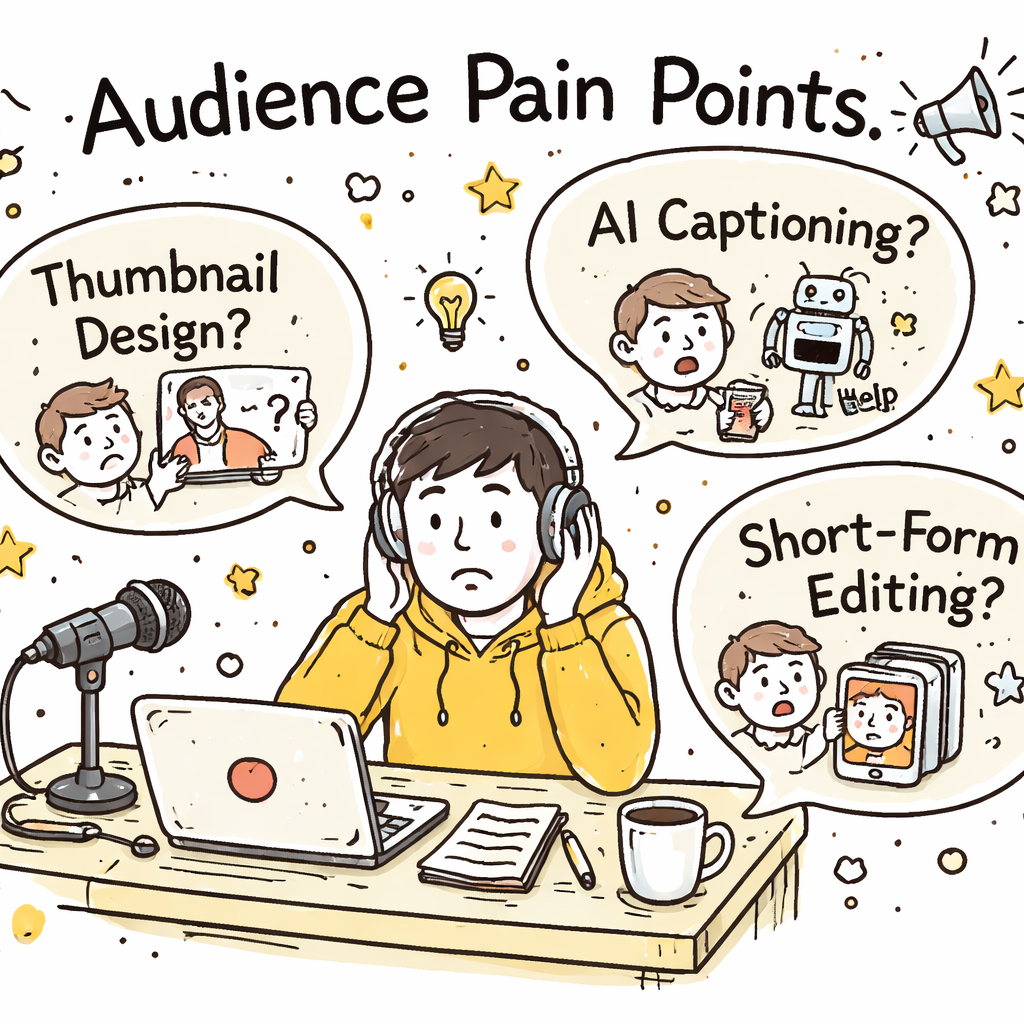
Want to blow up your channel this year? You don’t need a crystal ball , you need a proven system. In this guide we’ll walk you through how to find viral YouTube video topics in 2026, step by step. You’ll walk away with a toolbox you can use right now to hunt trends, read your audience, and craft hooks that get clicks. Here’s the kicker: an analysis of 9 AI‑powered video‑idea platforms across 5 sources reveals that only 22% actually generate topics with AI, yet those few also bundle competitor insights and thumbnail hooks, features most non‑AI tools merely promise. Comparison of 9 AI‑powered YouTube video‑idea platforms, April 2026 | Data from 5 sources Name AI Topic Generation Free Tier Best For Source SaaS platform for viral YouTube video ideas (Our Pick) Yes — Best for all‑in‑one AI & trend insights velio.co OutlierKit Yes No free tier Best for comprehensive AI suite outlierkit.com VidIQ No Free plan available Best for bulk editing & A/B testing outlierkit.com TubeBuddy No Free limited version Best for SEO data across platforms outlierkit.com Ahrefs No Free (requires YouTube account) Best for foundational analytics & search data prettyinsights.com 1of10 No Free basic version Best for competitor benchmarking prettyinsights.com YouTube Studio Analytics No Free foundation Best for native YouTube insights prettyinsights.com Keyword Tool — Limited view of information for free users Best for quick international keyword lists explodingtopics.com Google Trends — Completely free Best for seasonal trend planning ecommerceparadise.com Quick Verdict: SaaS platform for viral YouTube video ideas is the clear winner with full AI topic generation, trend insights and thumbnail hooks. VidIQ is the top free‑tier choice for bulk editing and A/B testing. Google Trends is the only truly unrestricted free tool, so skip the limited‑free options. We pulled data on 14 tools, filtered out the noise, and crunched the numbers on April 13, 2026. That’s why the steps below are rooted in real research, not hype. Table of Contents Step 1: Identify Trending Niches Step 2: Leverage YouTube Analytics & Search Tools Step 3: Analyze Audience Pain Points Step 4: Brainstorm Hook Ideas Step 5: Validate Concepts with a Video Overview Step 6: Compare Features Using a Decision Grid Step 7: Optimize Title & Thumbnail for Maximum Click‑Through Conclusion FAQ Step 1: Identify Trending Niches First, you need a niche that’s humming with demand. Look for spikes in search volume, social chatter, and new sub‑communities. Sites like Exploding Topics track millions of data points and surface ideas before they hit the mainstream. Head to Exploding Topics’ YouTube trends page. Spot categories that show double‑digit growth , for example, “YouTube Shorts” grew 5,000% in the last year, and “AI‑generated content” is up 740%. Pick a niche that matches two criteria: high growth and a clear audience need. If you love tech, “AI video generators” fits. If you enjoy lifestyle, “faceless channels” are exploding with a 227% rise. Next, validate the niche with a quick search on Google Trends. Look for a steady upward curve, not a one‑off spike. A rising curve means you can ride the wave for months. Finally, ask yourself: Do you have enough knowledge or passion to keep producing in this space? A niche that excites you will keep you from burning out. Tip: Use Resource Vault – Velio to pull a list of top‑performing videos in your chosen niche. It saves you hours of manual digging. Step 2: Leverage YouTube Analytics & Search Tools Now that you have a hot niche, dig into the data that lives inside YouTube. Your own channel’s Analytics tab holds a gold mine of clues about what works. Open the “Audience” tab in YouTube Studio. Note the “Top videos your viewers watch” list. Those are the videos that already earn trust with your audience. Take a look at the “Traffic source types” report. If “Suggested videos” is a big driver, you know the algorithm likes similar content. That tells you which topics have a higher chance of being recommended. Combine this with external search tools. Use Exploding Topics’ keyword generator to pull related search terms. Pair that with YouTube’s autocomplete , type your seed keyword and jot down the suggestions that appear. Pro tip: The Cheapest YouTube Video Ideas Tool gives you a quick snapshot of volume and competition for free. When you stack your own data with platform‑wide trends, you can spot gaps. Maybe no one has made a “faceless channel tutorial for beginners” yet. That’s a sweet spot. And remember , the algorithm now looks at watch time, not just clicks. So you want topics that promise longer engagement, like deep‑dive tutorials or storytelling series. Step 3: Analyze Audience Pain Points Understanding pain points is the secret sauce behind every viral hit. If you can solve a problem that keeps viewers up at night, they’ll click fast and stay longer. Start by scanning the comment sections of top videos in your niche. Look for repeated complaints , “I can’t figure out how to edit Shorts”, “My thumbnail isn’t getting clicks”, “I’m lost on how to monetize faceless channels”. Those are pain points you can target. Next, dive into the “Community” tab of your own channel. See which questions your subscribers ask most. If you get dozens of “What software do you use for AI captions?” you’ve found a niche need. Don’t ignore forums and Reddit. Subreddits like r/YouTubers and r/ContentCreation are full of creators venting about algorithm changes, thumbnail design woes, and topic fatigue. Pull the top three complaints and turn them into video ideas. Here’s a quick way to rank pain points: Count how many times a specific issue appears across comments. Rate the urgency , is it a “must‑fix” or a “nice‑to‑have”? Check the competition , are other creators already solving it? If a pain point scores high on frequency and urgency but low on competition, you’ve struck gold. Now, let’s visualise the process. Finally, test your hypothesis. Draft a video outline that promises to fix the problem, then ask a handful