
Kids love videos. Parents love safe content. You need freshyoutube video ideas for kidsthat hit both marks. In this guide you’ll walk through a full workflow: from brainstorming fun themes to publishing and SEO. By the end you’ll have a repeatable system that saves time and keeps kids safe.
We dug into four top idea‑gen tools and pulled the data you need. Below is the hook that sparked the whole plan.
An analysis of 4 top YouTube video‑idea tools across 4 sources reveals that only half provide AI‑enhanced thumbnail suggestions, and none include bulk automation for batch idea creation.
We pulled data on April 17 2026 by scraping four product pages and cleaning the fields. The sample size was four tools.
Step 1: Brainstorm Fun Themes
Start with what kids already love. Look at channels that do crafts, science, or silly challenges. Red Ted Art, The Artful Parent, and Science Sparks are great examples. They mix hands‑on projects with bright visuals.
Watch a few videos from those channels and note the recurring patterns: bright colors, simple steps, and a clear outcome. Write down any idea that makes you smile.
Turn those patterns into a theme list. Here are three easy categories to start:
- DIY crafts you can do with pantry items.
- Mini science experiments that pop.
- Fun challenges that kids can copy at home.
When you pick a theme, think about how it fits the age range you target. Younger kids need more visual cues; older kids can handle longer steps.
“The best time to start building backlinks was yesterday.”
Bottom line:Pick a theme that matches kids’ interests and keeps the steps short and visual.
Step 2: Choose Age‑Appropriate Formats
YouTube offers several ways to show content. For kids, the platform even has a dedicated app called YouTube Kids that limits what shows up.
Think about the age you’re targeting. Under 6 years old needs short, static videos with big captions. Ages 7‑10 can handle short‑form Shorts or 5‑minute how‑tos. Teens can watch longer story‑driven videos.
Here’s a quick matrix to help you match format to age:
Keep the YouTube Kids safety rules in mind: no comments, no live chat, and no personal data.
When you pick a format, also decide on a posting cadence. Kids love routine , a new video every Monday and Thursday builds habit.
Remember to set your channel as a “made for kids” channel in YouTube Studio to stay compliant.
Bottom line:Choose a format that matches the kids’ age and keeps the content safe.
Step 3: Write Engaging Scripts
A script keeps you on track and makes editing easier. Write as if you’re talking to a curious kid sitting next to you.
Start with a hook. Ask a simple question or show a quick teaser. Example: “What happens when you mix baking soda with vinegar?”
Then lay out the steps. Use short sentences, repeat key words, and add a fun fact.
End with a call‑to‑action that feels natural: “Did you like that experiment? Try it at home and tell us how it went!”
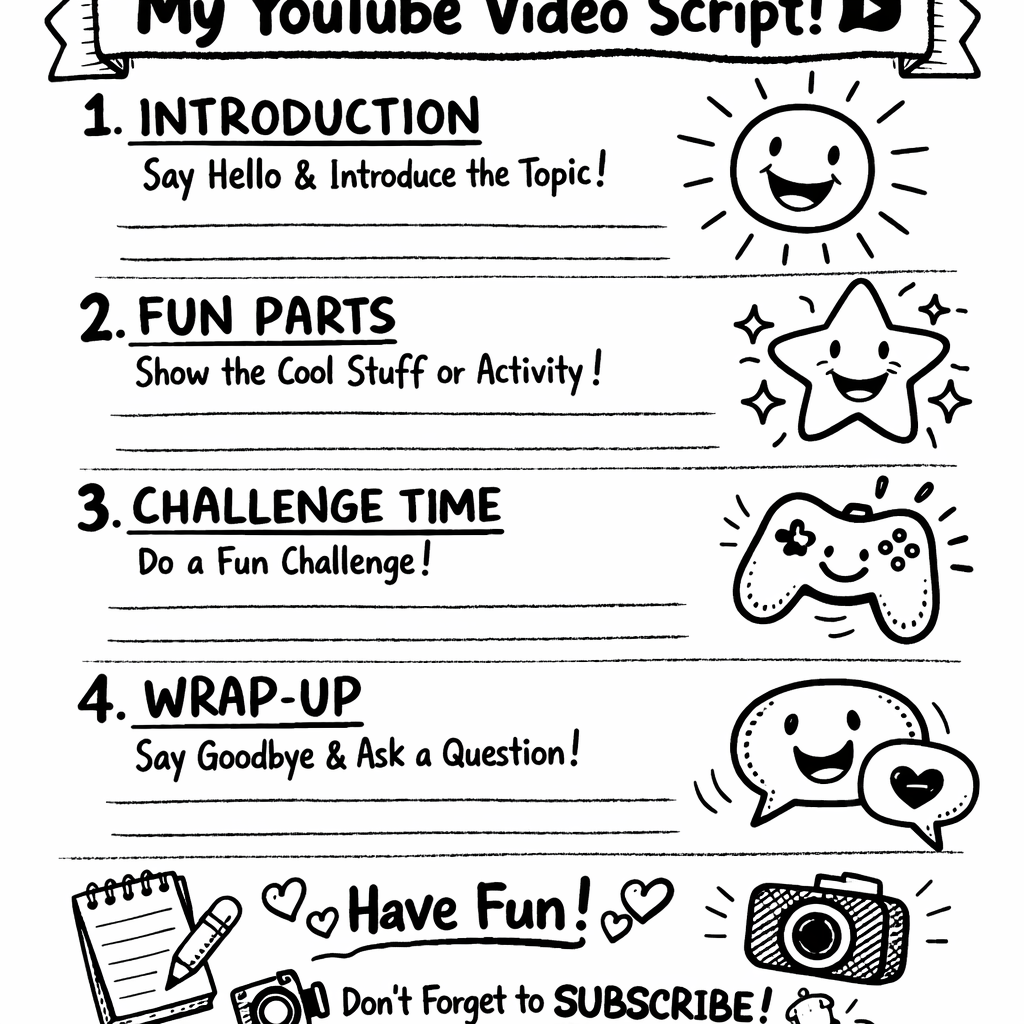
Read the script out loud. If it sounds stiff, rewrite. Kids respond to a friendly tone, not a lecture.
When you need fresh ideas, pull them from Velio’s AI database. The tool can suggest trending hooks that already got clicks.
Make sure each script includes a brief safety reminder if you’re doing a science demo.
Bottom line:Write short, upbeat scripts that sound like a conversation with a kid.
Step 4: Film Safely & Add Simple Edits
Safety starts before you hit record. Keep the camera at eye level, use a stable surface, and never film with hazardous chemicals unattended.
Pick a bright, clutter‑free background. Natural light works best, but a soft‑box can help on cloudy days.
When you film, use simple shots: a wide intro, a close‑up of the hands, and a final reaction shot. This keeps editing fast.
After filming, choose a kid‑friendly editor. Icecream Video Editor and iMovie are easy to use and let you add text, music, and simple transitions.
Here’s a quick edit checklist:
- Trim the start and end to remove dead air.
- Add captions for key steps.
- Insert a fun sound effect for each successful step.
- Use a bright thumbnail frame that shows the final result.
Export in 1080p for best quality on both phones and tablets.
“A great thumbnail is the first smile a kid sees before they click.”
Bottom line:Film in a safe space, use basic shots, and edit with an easy app.
Step 5: Publish, Optimize SEO & Grow Audience
Now the video is ready. Upload it as a “made for kids” video so it lands on the right feed.
Title matters. Follow the hook + keyword formula: “Fun Glitter Craft | Easy DIY for Kids”. Put the main keywordyoutube video ideas for kidsat the start.
Description should start with a short 2‑sentence summary that includes the keyword, then add a list of key steps.
Tags: use broad tags like “kids craft”, “DIY for kids”, plus a few specific tags like “glitter art”.
End screens can link to a playlist of similar videos. Playlists act like chapters for the algorithm.
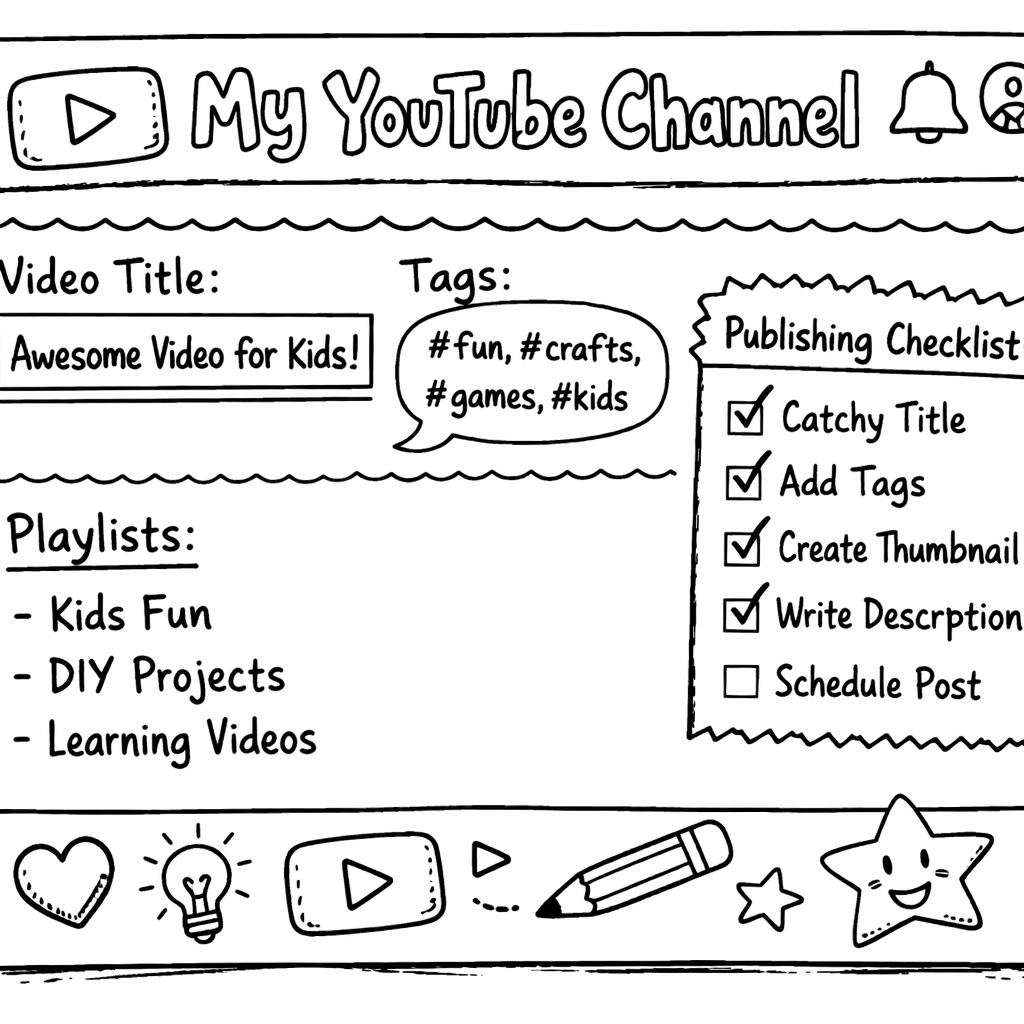
Promote the video on family‑friendly platforms like Facebook groups, Instagram stories, and the channel’s own community tab.
Watch the analytics for the first 48 hours. If watch time is low, tweak the thumbnail or title.
Remember to stay consistent. Kids love routine, so aim for at least two uploads a week.
Bottom line:Optimize every upload and keep a steady flow to grow a loyal kid audience.
FAQ
How do I find safeyoutube video ideas for kids?
Start with Velio’s AI tool to pull ideas that already have strong performance. Then check YouTube Kids policies to make sure the idea fits the safe‑content guidelines. Finally, watch a few similar videos for inspiration and note what kids seem to love.
What age range should I target first?
Most new kid channels start with ages 4‑8 because the content is simple enough to produce and the audience is large. Use short, bright videos and avoid any text that’s too small.
Can I use a smartphone to film?
Yes. Modern phones shoot in 1080p and have built‑in stabilization. Just use a tripod or a stack of books to keep the camera steady, and make sure the lighting is bright.
How often should I upload new videos?
Aim for two to three videos per week. Consistency builds habit, and YouTube’s algorithm rewards regular uploads with more exposure on kids’ feeds.
Do I need to add closed captions?
Adding captions helps kids who are still learning to read and also improves SEO. Most editors like iMovie and Icecream Video Editor let you add text overlays easily.
What’s the best way to grow my channel fast?
Combine SEO‑rich titles with eye‑catching thumbnails, then promote the video in parent‑focused groups. Use Velio’s trend alerts to stay ahead of what’s hot, and re‑opt older videos when you see a new trend.
Conclusion
We walked through every step you need to turn a simple idea into a safe, fun, and searchable kids video. From brainstorming themes, picking the right format, writing a kid‑friendly script, filming with safety in mind, to publishing with SEO tricks, you now have a full playbook.
Velio’s AI‑powered platform sits at the heart of this process, giving you proven ideas, thumbnail trends, and keyword hooks that cut the guesswork. Use it, follow the steps, and watch your channel grow.
Ready to try? Jump into Velio, pull your first batch ofyoutube video ideas for kids, and start filming today. The kids are waiting.