
Running out of YouTube video ideas sucks. You’re sitting there, staring at your phone, trying to think of something that’ll actually get views. Here’s the thing: you don’t need to rely on random inspiration anymore.
We examined five leading free tools for generating YouTube video ideas and discovered that only one (20%) actually offers unlimited usage, challenging the belief that most free tiers are heavily restricted.
This guide shows you exactly how to use free YouTube video idea tools to generate content that actually gets views. We’ll walk through the step-by-step process for finding trending topics, analyzing what works, and turning data into viral video concepts. Our research shows that keyword-focused features are the core value of every free YouTube video ideas free tool, making SEO-driven research your secret weapon.
Understanding Your Content Strategy Before Using Tools
Before you jump into any youtube video ideas free tool, you need to get clear on your content strategy. Think of it like building a house. You wouldn’t start hammering nails without a blueprint.
Your content strategy is your blueprint. It tells you what topics fit your channel and which ones don’t. Without this foundation, even the best free tools will just give you random ideas that don’t connect with your audience.
Here’s what you need to figure out first. What’s your niche? What problems do you solve? Who’s watching your videos? These aren’t fluffy questions. They’re the difference between content that flops and content that blows up.
Google’s 2026 research shows that YouTube is not only the No. 1 streaming platform, it’s the No. 1 choice for entertainment and creator content. This means competition is fierce. You can’t afford to waste time on content that doesn’t serve your specific audience.
Start by looking at your top 5 performing videos. What do they have in common? Similar topics? Same format? Specific emotional hook? These patterns show you what your audience actually wants to watch.
Next, write down your core message in one sentence. Every youtube video ideas free tool suggestion should connect back to this message. If it doesn’t, skip it. Your viewers subscribe for a reason. Don’t confuse them with random content just because it’s trending.
Define your content pillars too. Pick 3-5 main topics you’ll cover regularly. Maybe it’s tutorials, product reviews, and behind-the-scenes content. Or fitness tips, meal prep, and motivation. Whatever fits your brand.
Why does this matter for using free tools? Because these tools generate hundreds of ideas. Without clear criteria, you’ll get overwhelmed and pick the wrong ones. Your strategy acts like a filter. It helps you spot winning ideas faster and ignore the noise.
Also think about your content calendar. How often do you post? What days work best for your audience? Most youtube video ideas free tool suggestions work better when you can execute them quickly while they’re still trending.
Finally, know your competition. Who else serves your audience? What gaps exist in their content? The best tools help you find these opportunities, but you need to know where to look first. Analytics tools can help you measure and compare social media performance against competitors to better understand your market position.
Step 1: Use YouTube’s Built-in Research Features
YouTube gives you everything you need to find winning video ideas. You just need to know where to look. The platform’s built-in features are probably the most underused youtube video ideas free tool available.
Start with YouTube’s search bar. Type in your main keyword and watch the suggestions drop down. These aren’t random. They’re based on what real people are actually searching for right now.
Let’s say you run a cooking channel. Type “easy dinner recipes” and you’ll see suggestions like “easy dinner recipes for family,” “easy dinner recipes chicken,” or “easy dinner recipes healthy.” Each suggestion is a potential video idea with built-in search demand.
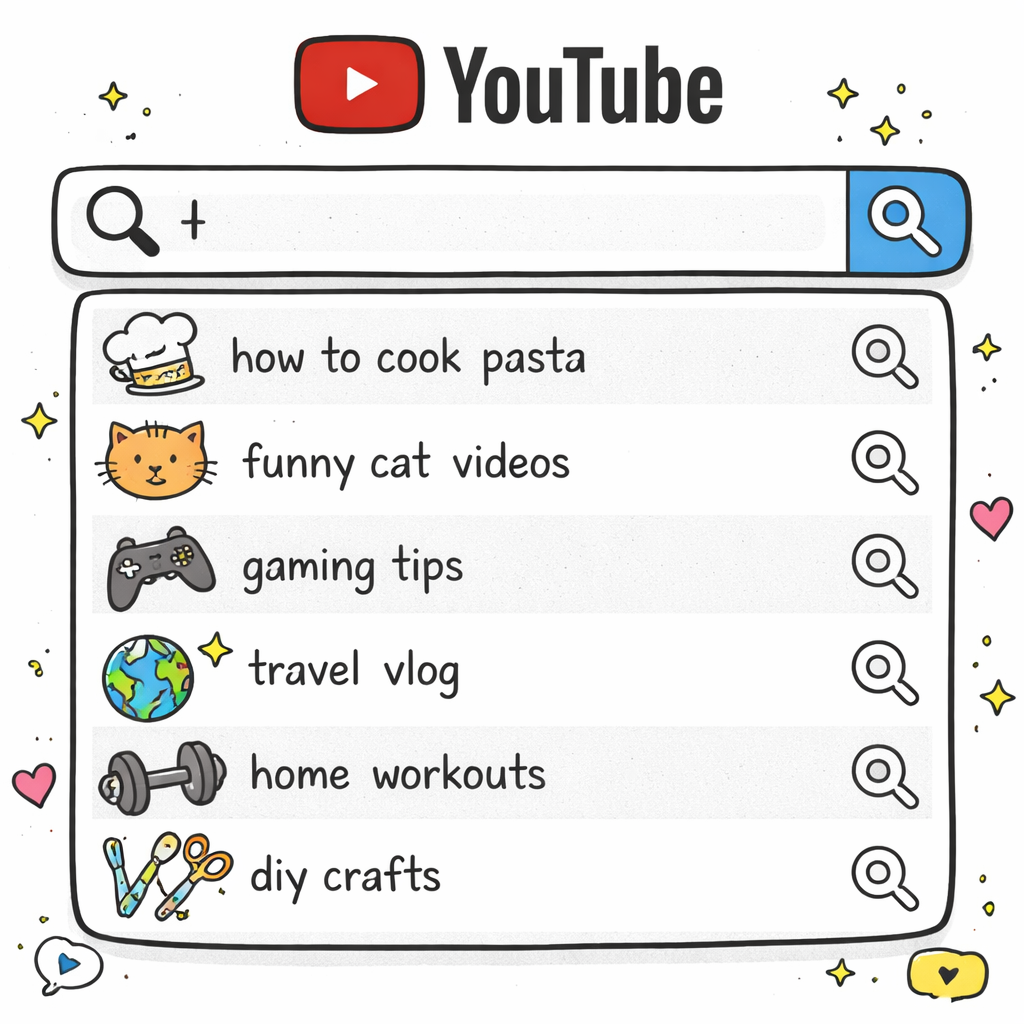
But here’s the trick most creators miss. Go deeper with the autocomplete. After you pick a suggestion, type it in and add more words. “Easy dinner recipes chicken” becomes “easy dinner recipes chicken breast,” “easy dinner recipes chicken thighs,” and so on.
Each level gives you more specific, less competitive keywords. These longer phrases often convert better too because they match exactly what viewers want.
Next, check out YouTube’s Trending page. Click “Trending” in the left sidebar. This shows you what’s getting views right now across all categories. Don’t just copy what you see. Look for patterns you can adapt to your niche.
Maybe there’s a trending challenge in the gaming category. How could you adapt that format for your cooking channel? Or fitness channel? The format might work even if the topic doesn’t.
The Comments section is pure gold for any youtube video ideas free tool strategy. Go to your recent videos and read every comment. People literally tell you what they want to see next. They ask questions. They request specific topics. They complain about things you didn’t cover.
Screenshot these comments and turn them into a content list. “Can you do a video on X?” becomes your next upload. “You should have mentioned Y” becomes a follow-up video. “What about Z?” becomes a whole series.
Don’t forget about YouTube Shorts. The Shorts feed shows you what short-form content is popping off. Most of these ideas can be expanded into long-form videos. A trending 60-second tip can become a 10-minute deep dive.
Use YouTube Analytics if you’re already posting content. Go to the Research tab in YouTube Studio. This feature shows you what your audience is searching for and what topics have gaps. VidIQ’s research shows that successful creators use data-driven systems to deliver YouTube video ideas that match their unique style and audience.
Look for the “Content gaps” section. These are topics with high search volume but few quality videos. That’s your opportunity to dominate a keyword before everyone else catches on.
The key with YouTube’s built-in tools is consistency. Check them weekly, not monthly. Trends move fast. What’s hot today might be dead next week. But if you’re paying attention, you’ll catch the wave while it’s still building.
Step 2: Use Google Tools for Video Idea Generation
Google Trends is the most powerful youtube video ideas free tool that most creators completely ignore. It’s free, it’s accurate, and it shows you exactly what people are searching for before it becomes obvious to everyone else.
Here’s how to use it like a pro. Go to Google Trends and make sure you’re in the YouTube search filter. This is crucial. Regular web search trends don’t always translate to YouTube trends. People search differently on each platform.
Start with your main topic. Let’s use “home workouts” as an example. Google Trends shows you the interest over time. You’ll see spikes and dips that reveal patterns. Maybe January always spikes because of New Year’s resolutions. Or summer dips because people go outside more.
These patterns help you plan content in advance. You know when to post your fitness videos for maximum impact. You can prepare your “New Year workout” content in December and publish it right when interest peaks.
But the real magic happens in the “Related queries” section. This shows you what else people search for when they’re interested in your topic. For “home workouts,” you might see “home workout no equipment,” “home workout for beginners,” or “home workout apps.”
Each related query is a video idea with proven search demand. According to Descript’s analysis, successful creators pay attention to what their audience is genuinely curious about right now rather than relying on random inspiration.
Use the “Rising” tab too. This shows queries that are growing fast. They might not have huge search volume yet, but they’re trending upward. Getting in early on rising trends can give you a massive advantage.
Google’s “People Also Ask” feature is another goldmine. Search for your main keyword on regular Google and scroll down to the “People Also Ask” section. Each question is a potential video title. “How to start working out at home?” becomes “Complete Beginner’s Guide to Home Workouts.”
Don’t stop there. Click on each question to expand it, and you’ll get more related questions. One search can give you 20+ video ideas in minutes.
Google’s autocomplete works differently than YouTube’s. It shows you what people type into Google search, which often includes more specific, long-tail keywords. These longer phrases are easier to rank for and attract more targeted viewers.
Try typing your keyword plus question words. “Home workouts how,” “home workouts what,” “home workouts why.” Each combination reveals different angles for your content.
The comparison feature in Google Trends is incredibly powerful for any youtube video ideas free tool strategy. You can compare up to 5 search terms to see which topics have more interest. This helps you prioritize which videos to make first.
Maybe “HIIT workouts” gets more searches than “yoga workouts” in your area. Make the HIIT video first to capture that bigger audience. You can always do the yoga video later.
Set up Google Alerts for your main keywords too. You’ll get email notifications when new content gets published about your topics. This helps you spot trending stories early and create timely response videos.
Regional data matters more than most creators realize. A topic might be huge in California but dead in Texas. Use the geographical breakdown to understand where your potential audience lives. This affects everything from your content to your posting times.
Step 3: Explore Social Media Platforms for Trending Ideas
Social media platforms are like crystal balls for content creators. They show you what’s about to blow up before it hits YouTube. Smart creators use these platforms as their youtube video ideas free tool to stay ahead of trends.
TikTok is where most viral content starts. Browse your niche hashtags and pay attention to videos with rapid growth. Look for content that got thousands of views in just a few hours. These are your early trend indicators.
But don’t just copy TikTok content directly. Most TikToks are 30-60 seconds. Your job is to expand these concepts into full YouTube videos. A quick TikTok tip becomes a 10-minute tutorial. A funny TikTok trend becomes a reaction or explanation video.

Instagram Reels work similarly. Check the Explore page and look for Reels in your niche with high engagement. The comment sections are especially valuable. People ask for more details, request tutorials, or share their own experiences. Turn these interactions into YouTube content.
Twitter (X) trends move fast but give you real-time insight into what people are talking about. Check the trending topics daily, especially those related to your niche. A trending news story might inspire a reaction video or explainer content.
Reddit is probably the most underused platform for video ideas. Each subreddit is like having focus groups for your target audience. Browse subreddits related to your niche and look for:
- Highly upvoted posts (popular topics your audience cares about)
- Questions with lots of comments (problems you can solve with videos)
- Controversial discussions (topics that drive engagement)
- Beginner questions (evergreen tutorial opportunities)
The comments in Reddit threads often reveal sub-topics and angles you wouldn’t think of on your own. One post might generate 5-10 different video ideas just from reading the discussion.
Pinterest trends predict what will be popular 3-6 months from now. Fashion, food, home decor, and DIY creators especially benefit from Pinterest trend analysis. Look at what’s getting saved and shared heavily. These topics will likely trend on YouTube later.
Facebook groups in your niche are goldmines for content ideas. Join active groups and pay attention to:
- Questions that get asked repeatedly
- Posts that generate lots of discussion
- Problems people can’t solve
- Success stories people share
LinkedIn can be valuable for business and professional content. Check what articles and posts are getting the most engagement in your industry. Professional topics often work well for educational YouTube content.
Don’t forget about Discord servers and online communities specific to your niche. These smaller communities often discuss trends before they hit mainstream social media. The conversations are more detailed and reveal deeper insights about what your audience really wants.
Cross-platform content adaptation is key to making this youtube video ideas free tool strategy work. A trending Instagram post about productivity tips becomes a “10 Productivity Hacks That Actually Work” YouTube video. A viral TikTok dance becomes a “How to Learn the [Dance Name] – Beginner Tutorial.”
Set up a content monitoring routine. Spend 30 minutes each morning checking these platforms for trending topics in your niche. Use a spreadsheet or note-taking app to track ideas, engagement levels, and which platforms they came from.
Time your YouTube content to ride these social media waves. If something’s trending on TikTok today, plan to publish your YouTube version within 2-3 days. Wait too long and the trend will be over.
The key is adaptation, not imitation. Take the core concept that’s working on other platforms and present it in your unique style for YouTube’s longer format. This approach has proven successful for creators who want to stay ahead of trends while building authentic, niche content that reflects how people live and work today.
Free Third-Party Tools Comparison
Free third-party tools can supercharge your video idea generation, but you need to know which ones actually deliver results. Not all youtube video ideas free tool options are created equal. Some give you surface-level suggestions while others provide deep, actionable insights.
Let’s break down the top free tools and what they’re actually good for:
VidIQ’s free version gives you three keyword lookups per day. That sounds limiting, but it’s actually perfect for focused research. Instead of randomly searching dozens of keywords, you’re forced to be strategic. Pick your three most important topics and dig deep.
The real value in VidIQ is the competitor analysis. You can see what keywords successful channels in your niche are ranking for. This reveals content gaps and opportunities you wouldn’t find otherwise.
TubeBuddy’s free tier focuses on SEO optimization rather than idea generation. But the tag suggestions and title optimization features can spark new content ideas. When you see what tags perform well, you’ll start thinking about videos you haven’t made yet.
ChatGPT excels at creative brainstorming when you give it specific prompts. Don’t just ask “give me YouTube video ideas.” Instead, try: “I run a cooking channel focused on quick meals for busy parents. My last video about 15-minute dinners got 50K views. Give me 10 similar video concepts that solve related problems.”
The more specific your prompt, the better your results. ChatGPT can help you find unique angles on popular topics, which is often more valuable than completely new ideas.
Answer The Public shows you exactly what questions people ask about your topics. The free version gives you two searches per day, but each search generates hundreds of question-based video ideas. “How to,” “What is,” “Why does” – all perfect for YouTube titles.
According to VidIQ’s comparison analysis, the key difference between tools is whether they focus on discovery or optimization. Discovery tools help you find new ideas, while optimization tools help you improve existing content performance.
Here’s how to combine these tools effectively:
- Monday: Use Google Trends to identify rising topics in your niche
- Tuesday: Run Answer The Public searches on your trending topics
- Wednesday: Use VidIQ to check competition levels for your top ideas
- Thursday: Brainstorm with ChatGPT to find unique angles
- Friday: Use TubeBuddy to optimize your chosen concept
This weekly routine ensures you’re using each youtube video ideas free tool for its strengths while building a consistent content pipeline.
The biggest mistake creators make is jumping between tools randomly. Pick a primary tool based on your main need. If you struggle with creative block, start with ChatGPT. If you can’t find trending topics, begin with Google Trends. If you’re making content that doesn’t get views, focus on VidIQ’s keyword research.
Don’t try to use every tool for every video. That’s overwhelming and inefficient. Instead, use different tools for different types of content. Trending topics come from Google Trends. Evergreen tutorials come from Answer The Public. Competitive analysis comes from VidIQ.
Most importantly, remember that tools are just tools. They give you data and suggestions, but your creativity and understanding of your audience turn that information into compelling content. The best youtube video ideas free tool is useless if you don’t execute the ideas well.
Step 4: Analyze Competitor Content for Inspiration
Your competitors are doing market research for you whether they know it or not. Every video they publish is a test of what works with your shared audience. Smart creators use competitor analysis as their favorite youtube video ideas free tool.
Start by identifying your top 5-10 competitors. Don’t just pick the biggest channels. Find creators who serve your exact audience and have similar subscriber counts. These are your real competition, and their strategies are more realistic to emulate.
Look at their most popular videos from the past 90 days. What topics are getting the most views? Which titles and thumbnails are performing best? What video lengths work in your niche? This data shows you what your audience actually wants to watch right now.
Pay special attention to videos that overperformed compared to the channel’s average. A channel that usually gets 10K views but suddenly hit 100K with one video has discovered something important. Analyze what made that video different.
Check the upload timing too. When do your competitors post for maximum engagement? If everyone in your niche uploads on Tuesday mornings, maybe Thursday afternoons are completely open. Sometimes the best strategy is zigging when everyone else zags.
The comments sections on competitor videos are pure gold. Viewers often say things like “you should do a video on X” or “can you explain Y?” These are direct requests from your target audience. Turn their suggestions into your content.
Look for gaps in competitor content. What topics do they avoid? What questions do they leave unanswered? What formats do they never use? These gaps represent opportunities for you to dominate untapped areas.
Use VidIQ’s competitor tracking features to monitor competitor performance and identify trending content before it becomes obvious to everyone else. Track their best-performing content and understand what resonates with your shared audience.
Don’t just copy what works. Improve it. If a competitor made a “Top 10” list that got popular, make a “Top 15” list with more detail. If they made a basic tutorial, create an advanced version or a beginner-friendly version.
Study their series content especially carefully. Series perform well on YouTube because they generate multiple videos from one concept. If competitors have successful series, think about how you could create your own version with a unique angle.
Analyze their thumbnail strategies too. What colors do they use? What text style? What imagery? This isn’t about copying their thumbnails but understanding what attracts clicks in your niche. Then develop your own distinctive style that still follows proven patterns.
Track their collaboration patterns. Who do they work with? What types of collaborations perform best? This can inspire your own partnership opportunities and show you who else influences your audience.
Set up a simple tracking system. Create a spreadsheet with competitor channels, their recent hit videos, view counts, and notes about what made each video successful. Review this weekly to spot emerging patterns and trends.
Remember that competitor analysis is about inspiration, not imitation. The goal is understanding what works in your niche so you can create better content, not copying what already exists. Your unique perspective and personality are what will set you apart, but data helps you make smart strategic decisions about which topics to tackle and when to publish them.
FAQ
What’s the best free tool for YouTube video ideas in 2026?
Google Trends stands out as the most complete youtube video ideas free tool because it offers unlimited searches with real-time data. Unlike other tools that limit free users to just a few searches per day, Google Trends lets you explore trending topics, compare keywords, and analyze search patterns without restrictions. It integrates perfectly with YouTube-specific search data and helps you time your content for maximum impact. The combination of trending topics, related queries, and geographic insights makes it essential for any creator serious about data-driven content strategy.
How often should I research new video ideas?
You should dedicate time to researching video ideas at least twice per week using your chosen youtube video ideas free tool. Trends move quickly on YouTube, especially in fast-moving niches like tech, gaming, or news. Set up a routine where you spend 30 minutes every Monday and Thursday checking trending topics, competitor performance, and audience comments. This frequency ensures you catch emerging trends while they’re still building momentum, but it’s not so often that you get overwhelmed by constantly changing data. Weekly research sessions also give you enough time to properly plan and execute content based on your findings.
Can I rely entirely on free tools for video ideas?
Yes, free tools can absolutely provide all the video ideas you need, but success depends on using them strategically rather than randomly. The key is combining multiple youtube video ideas free tool options rather than depending on just one. Google Trends reveals what’s trending, YouTube’s search suggestions show current demand, competitor analysis uncovers gaps, and social media platforms predict future trends. Many successful creators built their entire channels using only free research tools. The limitation isn’t the tools themselves but how systematically you use them and how well you execute the ideas you discover.
How do I know if a video idea will actually get views?
The best way to predict video performance is combining search volume data with competition analysis using your youtube video ideas free tool research. Look for topics with steady search interest in Google Trends but relatively few quality videos when you search YouTube. Check if similar videos in your niche are getting consistent views, not just viral hits. Pay attention to comment sections where viewers request specific content – direct audience demand is the strongest predictor of success. Also consider your channel’s track record with similar topics and whether you can create genuinely better content than what already exists.
Should I focus on trending topics or evergreen content?
The ideal content strategy balances both trending topics and evergreen content, and most youtube video ideas free tool research supports this approach. Use trending topics to capture immediate attention and grow your audience quickly, but create evergreen content as your foundation for long-term traffic. A good ratio is 60% evergreen content that will get steady views for months or years, and 40% trending content that capitalizes on current interest. Trending videos can bring new subscribers who then discover your evergreen content library. This balanced approach provides both quick wins and sustainable growth over time.
How many video ideas should I generate at once?
Generate 15-20 video ideas per research session to maintain consistent content creation without feeling overwhelmed. This gives you enough options to choose the best ideas while building a backlog for consistent posting. When using any youtube video ideas free tool, quantity matters initially because not every idea will work out – some topics may become outdated, prove too competitive, or not match your audience’s interests. Having multiple options lets you pick the strongest concepts and save others for later. Organize your ideas by priority, with trending topics at the top and evergreen concepts as backup options for slower content periods.
What if competitors are already covering my video ideas?
Competitor coverage doesn’t eliminate opportunities – it actually validates that there’s audience demand for those topics. The key is finding your unique angle or improving on existing content when you discover overlap during youtube video ideas free tool research. Instead of avoiding covered topics completely, look for gaps in how competitors approached them. Maybe they made a basic tutorial but missed advanced tips, or covered the topic generally without focusing on your specific audience segment. Often the best performing videos improve on popular existing content rather than covering completely new ground. Your personality, presentation style, and unique perspective can make familiar topics feel fresh and valuable.
How do I turn a simple idea into a full video concept?
Transform basic ideas into full video concepts by expanding them with the “who, what, where, when, why, how” framework after finding them through your youtube video ideas free tool research. Start with your core topic, then add specific target audience, clear value proposition, and actionable takeaways. For example, “budgeting tips” becomes “5 Budgeting Methods That Actually Work for People in Their 20s” by adding specificity and promise. Include an engaging hook for your introduction, 3-5 main points with examples, and a clear call to action. Consider what visuals, demonstrations, or stories will support each point. This systematic expansion ensures every video delivers real value rather than just surface-level information that viewers could find anywhere else.
Conclusion
Finding winning YouTube video ideas doesn’t have to be a guessing game anymore. The free tools we’ve covered give you everything you need to create content that actually gets views and grows your channel.
Start with YouTube’s built-in features for immediate insights into what your audience wants. Use Google Trends to spot rising topics before they become obvious to everyone else. Mine social media platforms for emerging trends that haven’t hit YouTube yet. And always keep an eye on your competitors to find gaps and opportunities.
The secret isn’t using every youtube video ideas free tool available. It’s picking the right tools for your specific needs and using them consistently. Whether you’re struggling with creative block or can’t figure out why your videos aren’t getting views, these tools provide the data-driven foundation you need to make better content decisions.
Remember that tools are just the starting point. Your creativity, personality, and understanding of your audience transform data into compelling videos. The best trending topic won’t save boring content, but the right topic can make great content unstoppable.
Set up your weekly research routine now. Pick your primary tools based on your biggest challenges. Start tracking competitor performance and emerging trends. Most importantly, stop waiting for inspiration to strike randomly.
Your next viral video idea is waiting in the data. You just need to know where to look and how to turn insights into action. The creators winning on YouTube in 2026 aren’t the ones with the biggest budgets or fanciest equipment. They’re the ones who understand their audience and consistently deliver what people actually want to watch. These free tools give you that same competitive advantage – you just have to use them.