
You’re sick of guessing why your rival’s videos rack up views while yours stall. The truth? They’re spying on every move, every thumbnail, every hook. You can stop watching in the dark.
First, grab the channel URL of the creator you want to stalk. Paste it into a tool that pulls their latest upload list, subscriber count, and average watch time. Spot the pattern: do they drop videos on Tuesdays? Do they use bold text in titles? Write those observations down.
Next, set up alerts. Most platforms let you fire a notification whenever a new video hits the competitor’s feed. That way you’ll be the first to see a fresh idea and can react before the algorithm buries it.
Then, break down the metadata. Pull the title, description, tags, and thumbnail URL. Look for recurring keywords or phrases. If “how to” appears in three out of five titles, that’s a clue you should test a similar angle.
Finally, map the performance. Compare views, likes, and comments to see which formats actually win. A quick spreadsheet can turn raw numbers into a visual cheat sheet you can copy.
Platforms like Data-Driven Insights for Boosting YouTube Videos – Velio make this whole process smoother by gathering the data in one place and sending you alerts when a rival drops a viral hit.
If you need a break from the grind, check out a totally different kind of planning tool: the Birthday Party Photo Booth Rental Guide for 2026. It shows how a clear checklist can save you hours, a habit that works for YouTube research too.
Step 1: Identify Your Competitor Channels
Stop guessing and start spying. If you don’t know who’s winning, you’ll never catch up.
First, write down the three to five creators who already own the niche you want to crush. Look for channels with similar topics, audience size, or upload style. That’s your target list.
Grab each channel’s URL and drop it into a tool that can scan YouTube in real time. The Chrome extension SimilarTube does exactly that – it pulls the latest videos, subscriber counts, and key metrics in seconds.
Next, set up alerts. Most platforms let you fire a notification whenever a rival drops a new video. You can also hit the bell on their YouTube page so you get the push as soon as it goes live.
Now watch the video below. It walks through the whole process in under five minutes.
After you catch a fresh upload, note the day it went live, the thumbnail vibe, and the hook in the title. Do they drop videos on Tuesdays? Do they use bold caps or emojis? Write those patterns down.
Put the data in a simple spreadsheet: column A – channel name, B – upload day, C – thumbnail style, D – keyword trend. Sort by frequency and you’ll see the winning formula.
One more cheat: check what people are actually searching for. Backlinko’s list of top YouTube searches shows the hottest keywords for 2026. Align your competitor’s tags with those terms to spot gaps you can fill.
Action checklist: 1) List 3‑5 rivals. 2) Add URLs to SimilarTube. 3) Enable alerts. 4) Log upload cadence, thumbnail, and hook. 5) Compare against top search terms. Do this every week and you’ll stay ahead of the sh*t show.
Step 2: Gather Data with Free YouTube Tools
Now that you know who to watch, it’s time to pull the numbers that matter.
Free tools give you raw data without costing a dime. Here’s how you can stack them up.
Step 1: Pull channel stats. Open the channel, click “About” and copy subscriber count, total views and upload frequency. Paste those figures into a spreadsheet column.
Step 2: Grab video metadata. Use the free SimilarTube extension or the built in “View source” trick to copy titles, tags and thumbnail URLs. Log publish date, title length and any emojis for each video.
Step 3: Check search demand. Head to the Metricool’s free competitor analysis guide and pull the list of top search keywords for 2026. Match those keywords against the tags you collected. Any gaps are low hanging video ideas.
Pro tip: sort your sheet by upload day. If three rivals drop videos on Tuesdays, you might want to try a Tuesday release too.
So what do you do with the data? Look for patterns. High views on videos that use bold caps in titles? That’s a signal. Low engagement on long thumbnails? Trim them down.
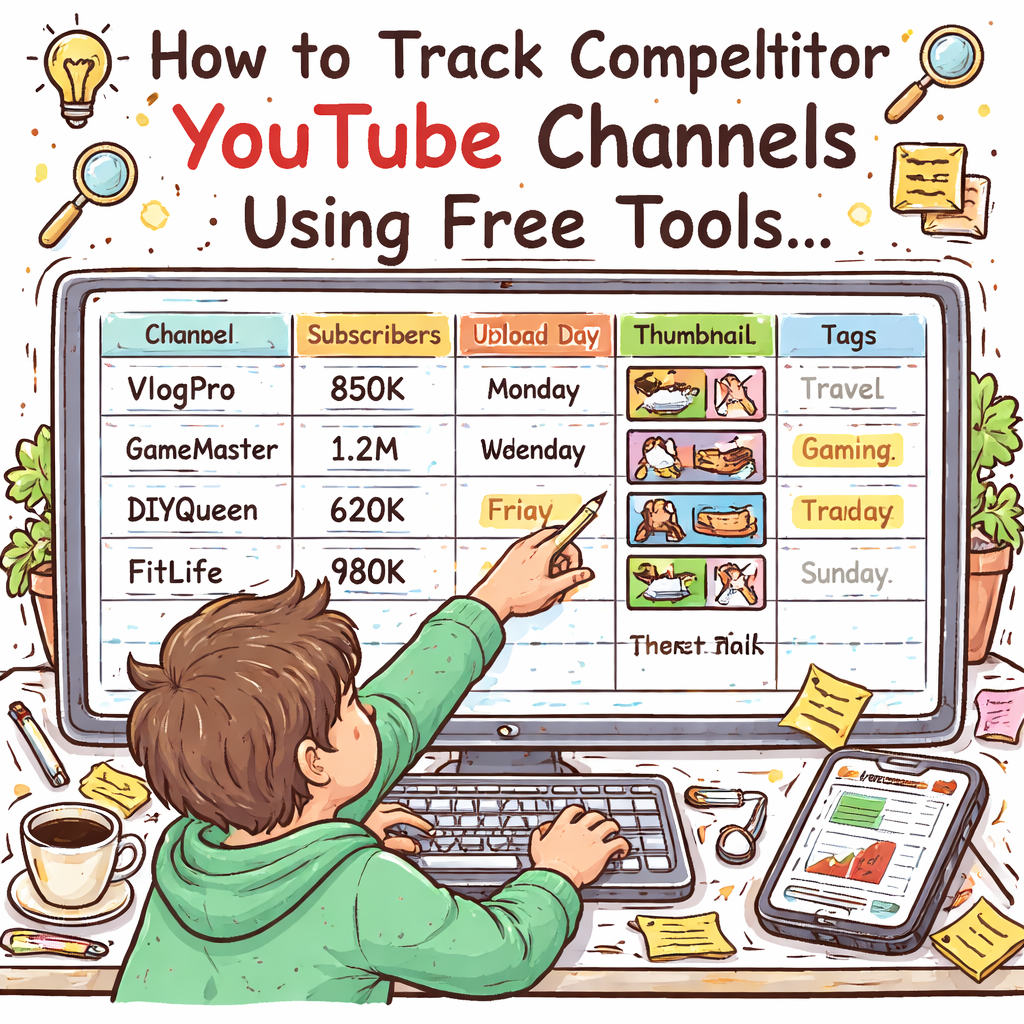
Run this routine every week. In a few minutes you’ll have a live cheat sheet that shows what’s working, what’s not, and where you can jump in with fresh content.
Step 3: Use Third‑Party Monitoring Platforms
You’ve logged the data, now stop chasing every upload yourself. Let a monitoring tool do the heavy lifting.
Third‑party platforms watch the channels you care about and ping you the second a new video drops. No more endless page refreshes.
Set it up in minutes
Pick a service that lets you paste a list of competitor URLs, choose email or Slack as the alert method, and turn on “instant” notifications. Drop the URLs from Steps 1‑2, hit save, and the platform will poll each feed every few minutes.
When an alert arrives, copy the video link into your spreadsheet and note the title style, thumbnail vibe, and upload day. If you see three alerts land on the same weekday, you’ve uncovered a cadence you can copy.
Turn alerts into a quick‑win checklist
Flag any alert that mentions a rising keyword gap idea. Produce a short video on that topic before the trend cools off. Pair a simple email alert with a Discord push to keep the signal loud and the noise low.
Bonus tip: use the platform’s tag feature to label alerts by content type, tutorial, review, listicle. That way you can quickly filter for the format that works best for your niche. You can also set a daily digest so you only get one summary email instead of dozens of pings.
In short, a solid monitoring service turns a chaotic scroll into a repeatable routine. You stay ahead of the sh*t show, keep your pipeline full, and spend less time hunting for ideas. Give it a try for a week and watch how much easier it is to spot the next viral angle before anyone else does.
Step 4: Set Up Automated Monitoring Dashboards
Now the alerts are rolling in, but you need a single place to see the whole picture. A dashboard does that – it pulls every ping, tags it, and shows you the trends at a glance.
Start by picking a tool that lets you create custom widgets. Drag a “new video count” widget, a “top performing thumbnail” widget, and a “keyword gap” widget onto the same screen. Arrange them so the most urgent signal sits in the top‑left corner.
Next, map each alert type to a tag. For example, tag anything that mentions a rising keyword as Keyword Gap. Tag uploads that hit a certain view threshold as Hot Video. Your dashboard can then filter by tag, letting you focus on the signal that matters right now.
Set a refresh schedule. Most platforms let you auto‑refresh every five minutes. That way you never miss a flash‑in‑the‑pan trend while you’re editing your next script.
Here’s a quick checklist:
- Choose a dashboard builder that supports tags.
- Create widgets for alerts, view counts, and engagement rates.
- Assign clear tags to each alert type.
- Schedule auto‑refresh (5‑10 min interval).
- Save a view called “Weekly Cadence” to spot upload patterns.
Tip: keep the dashboard clean. Hide any widget you don’t need daily – a cluttered screen just adds noise.
And if you want a deeper dive on how to turn raw data into a repeatable workflow, check out The fastest way to unf*ck your YouTube Channel. It walks through tagging, saving, and pulling insights without leaving YouTube.
Finally, you can boost engagement on the side. A quick read on Mirror Photo Booth Rental: 7 Must‑Know Tips for an Unforgettable Event shows how a simple checklist can keep any project on track – the same idea works for your monitoring dashboard.
Step 5: Analyze Trends and Choose Your Action Plan
Now the data’s in your dashboard. It’s time to read the signal and decide what to do next.
First, spot the spikes. A video that bursts past its usual view count tells you a keyword or hook that’s hot right now. If you see three spikes in a row for “budget editing tips,” that’s a clear gap you can fill.
Second, compare performance against the competitor’s averages. A 30% higher view‑to‑like ratio on a certain format means the audience loves that style. That’s a cue to copy the format but add your own spin.
Here’s a quick cheat‑sheet you can copy into a new sheet:
| Trend | What to Look For | Action |
|---|---|---|
| Keyword spikes | Sudden rise in views for a specific search term | Draft a video targeting that term within 48 hrs |
| Format outliers | One video type gets >2× engagement vs others | Plan a series using that format |
| Upload cadence gaps | Competitors post irregularly on certain days | Schedule a steady release on those days |
Tip: rank each gap by demand (search volume) and effort (how easy it is to produce). High‑demand, low‑effort wins get you quick wins.
What if you’re not sure which gaps matter? Check a recent study that broke down why some competitor videos keep ranking months after upload. It shows that evergreen topics paired with strong thumbnails keep pulling traffic long after the launch.Humble&Brag explains the evergreen effect.
Finally, lock in a weekly review. Spend 15 minutes every Monday scanning the table, updating the rows, and assigning a creator to each new idea. Consistency beats occasional genius every time.
And remember, you don’t need a crystal ball. The data you already have is enough to map a solid action plan.

Conclusion
You’ve walked through every step of how to track competitor YouTube channels. No more guessing, just data‑driven moves.
Pick the gaps that scream “quick win,” lock them into your weekly sprint, and fire off a video before the trend fades.
Keep a single spreadsheet or a simple board where you rank each idea by demand and effort. Update it every Monday, assign a creator, and watch the views climb.
If you need a place to stash every insight, the Resource Vault keeps it tidy and searchable.
And when you’re done, remember that the same checklist mindset works for any project – even a prom photo booth. Check out How to Choose the Perfect Prom Photo Booth Rental for an Unforgettable Night for a solid example.
Stick to the routine, keep the data fresh, and let the numbers do the talking.
FAQ
What’s the fastest way to start tracking competitor YouTube channels?
Grab the channel URL, drop it into a tool like SimilarTube or a simple spreadsheet, and set up email alerts. Note the upload day, thumbnail vibe, and hook in the title. Pull the data weekly and flag any pattern that repeats. The moment you see a three‑day cadence or a bold‑caps trend, you’ve got a clue you can test on your own channel.
How often should I refresh my competitor data?
At least once a week, but many creators run a quick check every Monday morning. Fresh data catches sudden spikes before the algorithm buries them. If you have alerts, skim them daily and add any new video to your sheet. A weekly deep‑dive lets you spot longer trends like upload cadence or thumbnail style shifts that happen over months. Keep the sheet tidy so you can spot patterns at a glance.
What metrics actually matter when spying on rivals?
Views alone don’t tell the whole story. Look at view‑to‑like ratio, comment volume, and average watch time. Thumbnails that pull high clicks but low watch time signal clickbait – not a win. Keywords that appear in titles and tags repeatedly are a gold mine. Combine those signals in a simple score sheet and rank each video by potential impact. A quick glance at these numbers tells you if a rival’s success is sustainable or a fluke.
Can I automate the data collection, or is it all manual?
Both work, but automation saves you from the endless refresh loop. Platforms like Velio pull video stats, tags, and thumbnail URLs in one click and can push alerts to Slack or email. If you prefer free tools, set up a Google Sheet with the IMPORTXML function to scrape basic data. Either way, the goal is to keep the process under five minutes a day.
How do I turn the raw data into a video idea that actually ranks?
First, spot a gap – a keyword that shows up in rivals’ tags but has low view counts. Next, draft a title that flips the hook, using the same keyword but adding a bold promise. Pair it with a thumbnail that mirrors the winning style yet adds your brand’s colour. Finally, schedule the upload on the day rivals usually post to ride the same traffic wave.
What’s the biggest mistake people make when tracking competitors?
They collect data and then never act on it. A spreadsheet full of numbers is useless if you don’t turn a pattern into a publishable video within a week. Another common slip is copying the exact thumbnail or title – you’ll look like a clone and the algorithm will penalize you. Use the insight as a blueprint, not a copy‑paste. Set a deadline and assign a creator so the idea moves from sheet to screen fast.