
Finding video ideas feels like searching for a needle in a haystack. You waste hours, you get flat views, you wonder why the heck you’re stuck. In this guide we’ll walk you through the exact steps to pick the best YouTube video ideas generator for 2026, so you can skip the guesswork and start making vids that blow up.
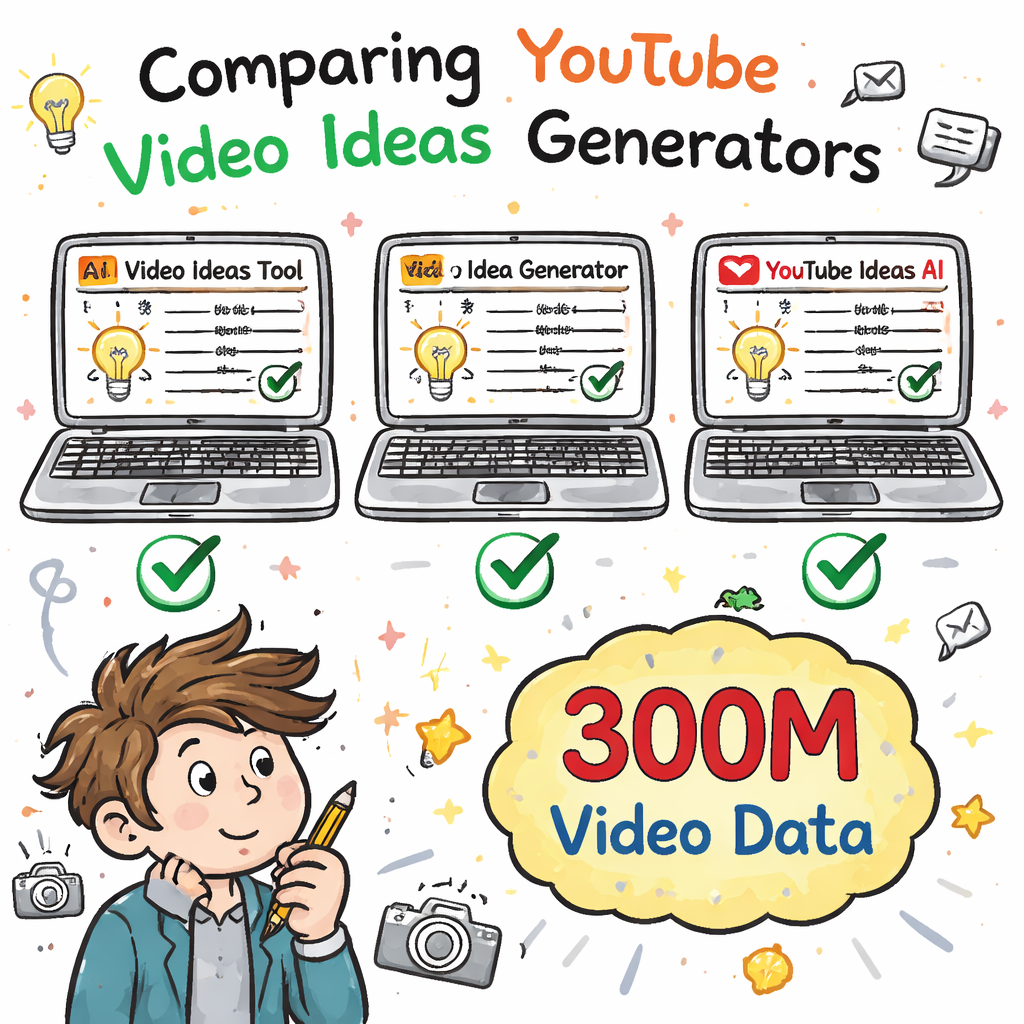
An analysis of three AI‑driven YouTube video‑idea generators across three sources reveals that only one tool discloses a massive 300 million‑video data pool, while the others stay silent on source size.
| Name | Idea Generation Method | Key Features | Free Tier | Best For | Source |
|---|---|---|---|---|---|
| AI‑Powered YouTube Ideas Platform (Our Pick) | AI‑powered search using data from over 300M YouTube videos | Discover proven viral video ideas, titles, thumbnails, hooks, and competitor trends | Unlimited free access; no sign‑up, no credit‑card, no usage caps beyond an hourly limit. | Best for unlimited free access | velio.co |
| vidIQ | tailored AI tools | Optimize Keywords; AI Clips; Thumbnails; Outliers; Scripts; AI Coach | Free Forever | Best for keyword optimization | vidiq.com |
| TubeBuddy | our AI tools | AI tools designed to take your videos to the next level | — | Best for all‑in‑one AI suite | tubebuddy.com |
Step 1: Define Your Content Niche
The first move is to know who you’re talking to. If you don’t have a clear niche, the ideas generator will spit out a mash‑up that no one cares about. Start by writing down the main topic you love. Then list sub‑topics that match what your audience searches for.
Ask yourself: What problem do I solve? What style do I use? What age group watches my vids? Write short answers. This short worksheet helps the AI focus.
Next, check what’s already working in your space. Use a tool like Mixpeek’s AI video analysis guide to see which tags, titles, and thumbnails rank high. Spot the patterns and note them.
Watch this quick YouTube clip that shows how to map a niche in 5 minutes: YouTube niche mapping tutorial. It breaks down the process step by step.
Once you have a list, rank each sub‑topic by three factors: audience size, competition level, and your own expertise. Give each a score from 1 to 5. Add up the scores and pick the top two. Those will be your core pillars.
Why does this matter for the best YouTube video ideas generator? The tool pulls data from millions of vids, but it only gives you ideas that match the keywords you feed it. A clear niche means the AI can match you with proven viral concepts rather than generic fluff.
Here’s a quick checklist:
- Write a one‑sentence channel mission.
- List three sub‑niches you enjoy.
- Score each sub‑niche on size, competition, expertise.
- Select the top two scores.
- Record the key words that define each pillar.
Our pick, the AI‑Powered YouTube Ideas Platform, lets you filter by niche and even by audience intent. That’s why a solid niche definition is the first win.
When you’ve locked down your niche, you’re ready to move on to picking the right generator.
In the next step we’ll compare features, pricing, and data depth so you can choose the best YouTube video ideas generator for your goals.
Step 2: Pick the Right Generator
Now that you know your niche, you need a tool that actually knows your game. Not all generators are built the same. Some hide how much data they use. Others lock you behind a pricey wall.
Start by looking at three key criteria: data size, free‑tier generosity, and integrations. The research table above shows that only the AI‑Powered YouTube Ideas Platform tells you it scans over 300 M videos. That alone gives it a massive edge because more data means more proven ideas.
Second, check the free tier. If you’re just starting, you want unlimited access without a credit‑card. Our pick offers exactly that. vidIQ and TubeBuddy both limit you, which can slow growth.
Third, think about how the generator plugs into your workflow. The AI‑Powered YouTube Ideas Platform lists five workflow tools it can talk to, from script editors to thumbnail makers. The others don’t list any, so you may end up copying and pasting manually.
Watch this short video that explains why data depth matters:
Here’s how to evaluate a generator in practice:
- Open the tool’s free demo.
- Enter a keyword from your niche.
- Check how many idea suggestions appear in the first 10 results.
- Note if the tool shows view counts, thumbnail trends, or hook ideas.
- Rate the experience from 1 to 5.
Use these scores to create a simple spreadsheet. Add columns for data size, free tier, integrations, and overall score. The highest total wins.
For a deeper dive on what makes a good AI video generator, read the Zapier roundup: Zapier’s best AI video generators guide. It breaks down quality, customization, and support.
Also check the YouTube walkthrough that shows the UI of each tool: Tool UI tour. Seeing the layout helps you decide if it feels intuitive.
When you’ve scored each option, you’ll see why the AI‑Powered YouTube Ideas Platform is the top pick for unlimited free access and a massive data pool.
Now that you’ve chosen the best YouTube video ideas generator, it’s time to learn how to feed it the right prompts.
Step 3: Craft Effective Prompts
Even the best generator will miss the mark if you give it vague instructions. Think of a prompt as a script for the AI. The clearer you are, the more spot‑on the output.
Start with the subject. Name the person, object, or scene you want. Avoid abstract nouns. Instead of “a confident professional,” say “a 30‑year‑old woman in a black leather jacket.”
Next, add the action. Use strong verbs like “running,” “typing,” “pouring.” If you want a still shot, tell the AI “still” or “static.”
Then set the environment. Mention lighting, time of day, and key props. Example: “golden hour on a misty forest trail.”
Camera cues matter too. Include “wide shot,” “close‑up,” or “tracking dolly.” This tells the model how to frame the scene.
Finally, add style and mood. Use words like “cinematic,” “warm,” “dramatic,” and give a frame rate or aspect ratio if the tool allows it.
Here’s a full prompt that follows the structure:
A 35‑year‑old female marathon runner with curly hair and a red windbreaker (subject) runs uphill on a forest trail (action) during golden hour with soft fog (environment). Medium shot, camera tracking beside her with slight handheld sway (camera). Cinematic style with warm color grading (style). Shot at 24fps, 9:16 aspect ratio, energetic and inspiring mood (technical).
Why this works: each piece answers a question the AI needs before it can render the video. Missing any part forces the model to guess, which leads to odd results.
To test prompts, run the same idea three times with slight tweaks. Note which tweak improves motion or lighting. Keep a log of what works.
For more prompt tricks, check out Frameo’s guide: Frameo’s prompt creation guide. It walks through verb choice and camera direction.
Another useful resource is the same guide’s FAQ page, which lists common bad prompts and fixes: Frameo FAQ on prompts.
Our pick makes prompt building easy with a built‑in template library. You can drop a ready‑made prompt in seconds and get a viral‑ready idea.
Now that you can craft sharp prompts, let’s sort the ideas you get.

Step 4: Organize and Prioritize Ideas
After you’ve harvested a list of ideas, you’ll have more than you can film in a week. That’s why you need a system to sort and rank them.
One easy method is the MoSCoW framework: Must‑have, Should‑have, Could‑have, Won’t‑have. Put each idea into one bucket. The Must‑have ideas are the ones that match your niche score, have high view potential, and fit your production capacity.
Another solid tool is the RICE scoring method. Score each idea on Reach, Impact, Confidence, and Effort. Multiply the first three numbers, then divide by Effort. Higher scores win.
Here’s a quick template you can copy into Google Sheets:
| Idea | Reach | Impact | Confidence | Effort | RICE Score |
|---|---|---|---|---|---|
| How to edit videos in 5 mins | 8 | 9 | 7 | 3 | 168 |
| Top 10 AI tools for creators | 7 | 8 | 6 | 2 | 168 |
Use the scores to build a runway. The top 3 ideas go into your next content calendar. The next 5 go into a “back‑burner” list for later.
For a deeper dive on idea sorting, read the Big Bang Partnership article that outlines eight frameworks: Big Bang’s idea sorter guide. It explains MoSCoW, RICE, KJ Method, and more.
Another helpful read from the same site walks through how to use Trello or Milanote for visual boards: Idea board tools guide. Pick a tool you already use to keep the process frictionless.
When you’ve prioritized, you’ll know exactly which prompts to feed into the best YouTube video ideas generator next week.
Step 5: Test, Track, and Refine
Even with perfect prompts and a solid priority list, you still need to see how each video performs. That’s where testing and tracking come in.
Start by uploading a pilot version of each idea. Keep the thumbnail, title, and description consistent with the data you pulled from the generator. Then watch the first 48 hours closely.
Key metrics to log:
- Views per hour.
- Watch time (average % watched).
- Click‑through rate on the thumbnail.
- Comments that mention the hook.
Enter these numbers into a simple spreadsheet. Use a column for “Goal” (e.g., 500 views in 24h) and another for “Actual.” Subtract to see the gap.
After a week, look for patterns. If videos with “story‑first” hooks get higher watch time, double down on that style. If a certain thumbnail color spikes CTR, use that hue more.
Our pick, the AI‑Powered YouTube Ideas Platform, lets you export a CSV of all your ideas with suggested tags and thumbnail concepts. You can import that straight into your analytics tracker, saving you time.
Here’s a quick checklist for the test phase:
- Publish one video per idea in a controlled batch.
- Record the four key metrics for 48h.
- Compare against your goal sheet.
- Mark ideas as “keep,” “tweak,” or “drop.”
- Feed the “keep” prompts back into the generator for more variations.
Two external resources that help you set up tracking:
Finally, loop back. Take the data you gathered, refine your prompts, and feed the top‑scoring ideas into the best YouTube video ideas generator again. Rinse and repeat, and you’ll see a steady climb in views.
Velio’s home page gives you a quick way to re‑run the winning ideas through the AI engine with a single click.
FAQ
What makes a YouTube video ideas generator the best?
The best YouTube video ideas generator gives you data from a huge video pool, offers unlimited free access, and integrates with your workflow. It should let you filter by niche, show proven titles, thumbnails, and hooks, and let you export the results without a credit‑card.
Do I need a paid plan to get good ideas?
Not necessarily. Our pick, the AI‑Powered YouTube Ideas Platform, gives unlimited free access with no sign‑up required. You can get strong ideas without spending a dime, though paid plans may lift hourly limits.
How many ideas should I generate each week?
Start with 5‑10 solid ideas. Use the MoSCoW or RICE method to rank them, then pick the top 3 to produce. This keeps your schedule manageable while still giving you variety.
Can I use the generator for short‑form content?
Yes. The tool lets you set video length and aspect ratio. Just add a cue like “short‑form 60‑second vertical video” in your prompt, and it will suggest ideas that fit TikTok or YouTube Shorts.
Is the data source size really important?
Absolutely. Only the AI‑Powered YouTube Ideas Platform discloses a 300 M‑video knowledge base. More data means the AI can spot trends that smaller tools miss, giving you a real edge.
How do I measure if an idea is truly viral?
Look at early view velocity, click‑through rate, and audience retention in the first 24‑48 hours. Compare those numbers to your channel’s average. If they beat the average by a solid margin, the idea is on fire.
Conclusion
Choosing the best YouTube video ideas generator starts with a clear niche, a smart pick of a tool that offers massive data and a free tier, laser‑sharp prompts, a solid way to rank ideas, and a loop of testing and refining. Follow the five steps, use the quick‑checklists, and you’ll cut out the guesswork that slows most creators.
Remember, the AI‑Powered YouTube Ideas Platform is our top pick because it gives you unlimited free access, a disclosed 300 M‑video pool, and workflow integrations that keep you moving fast. Try it today and watch your ideas turn into viral videos.